![fc-logo.svg]](https://knowledgebase.foodsconnected.com/hubfs/fc-logo.svg)
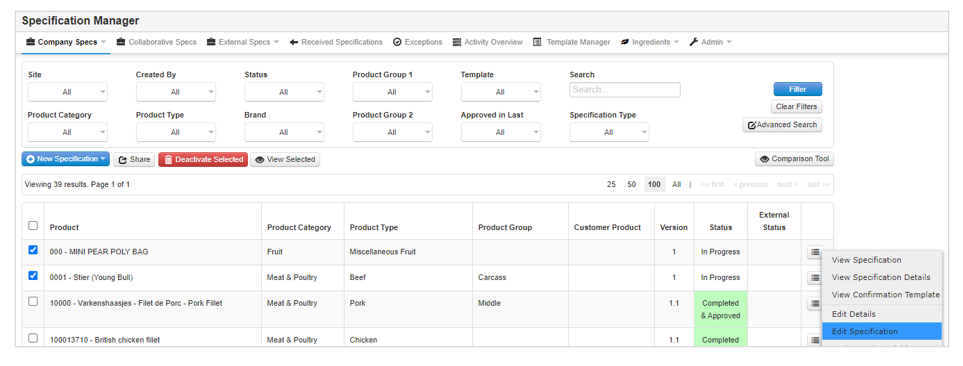
Step 1: From the Company Specs page, click on the menu button to the right of the specification you would like to edit and select Edit Specification.
Step 2: When the specification opens you can make the required changes then click on Save to update the specification.
Step 3: You can also edit the specification details by selecting the Edit Details option from the menu to the right of the specification, making sure to click on Save.