![fc-logo.svg]](https://knowledgebase.foodsconnected.com/hubfs/fc-logo.svg)
Step 1: Sign in to Foods Connected and select Supplier Approval then select Risk Assessment Manager
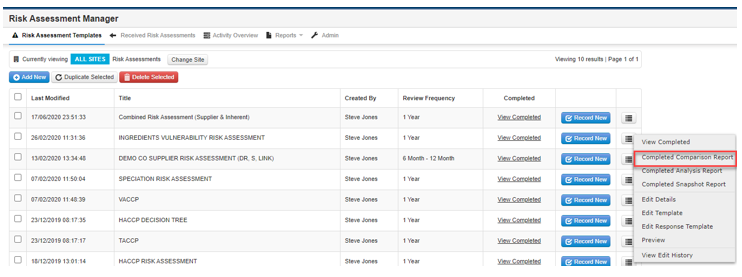
Step 2: Select dropdown beside relevant Risk Assessment and select Completed Comparison Report
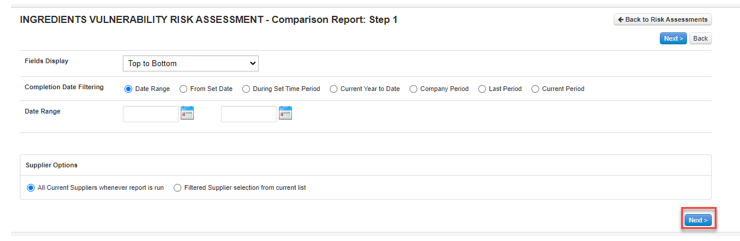
Step 3: Select required reporting parameters and select Next
Step 4: Select fields to compare then select Generate Report. Select the responses you require to report on (if all responses are required select Options checkbox and select Generate Report.