![fc-logo.svg]](https://knowledgebase.foodsconnected.com/hubfs/fc-logo.svg)
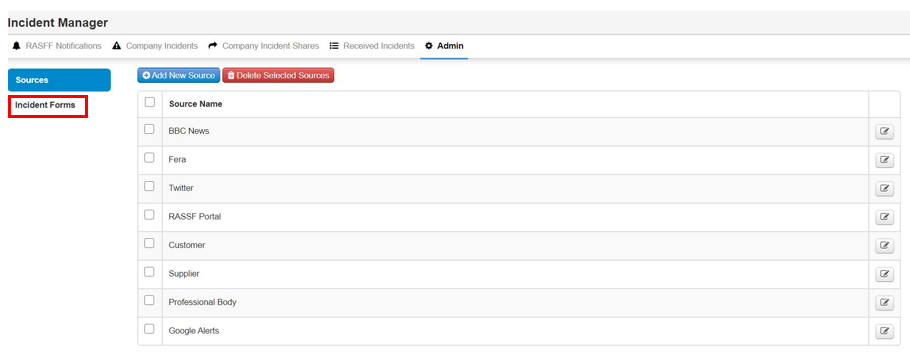
Step 1: In the Admin section select Incident Forms on the left
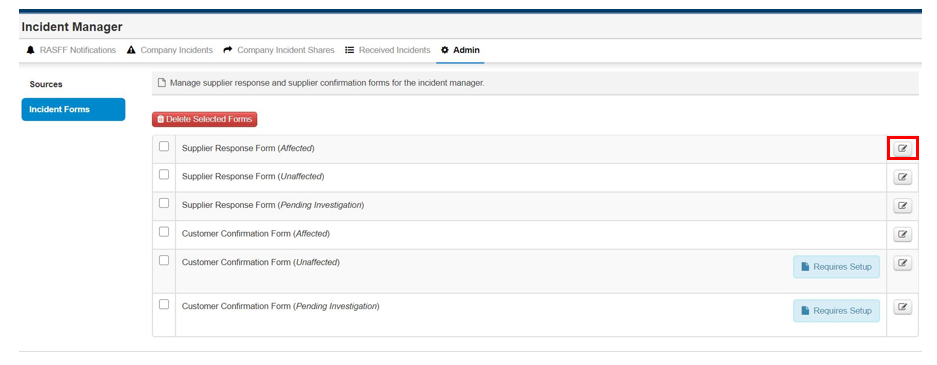
Step 2: As you can see there is 6 forms. To edit the form, select the edit button beside the form.
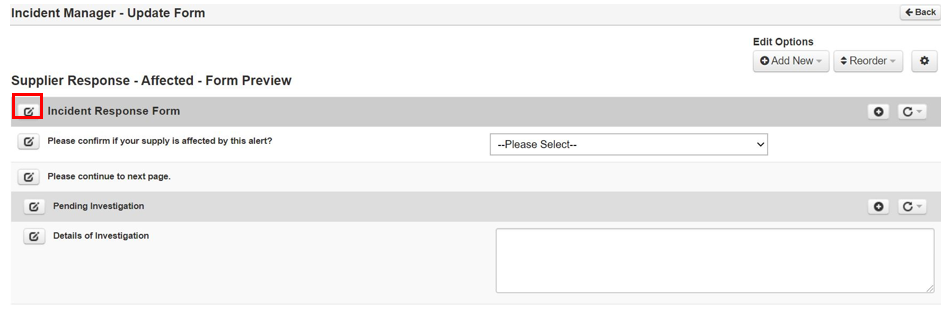
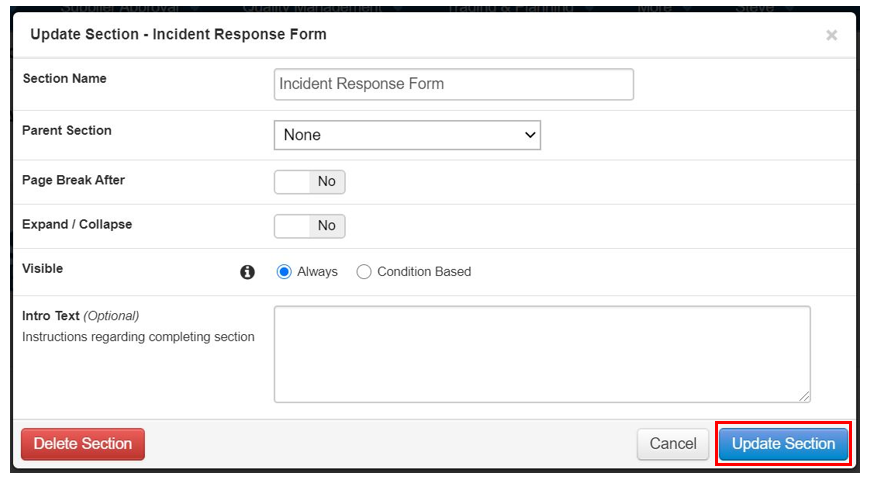
Step 4: Change section name, select Update Section when done
Step 5: Now edit the question or field by clicking edit questionnaire
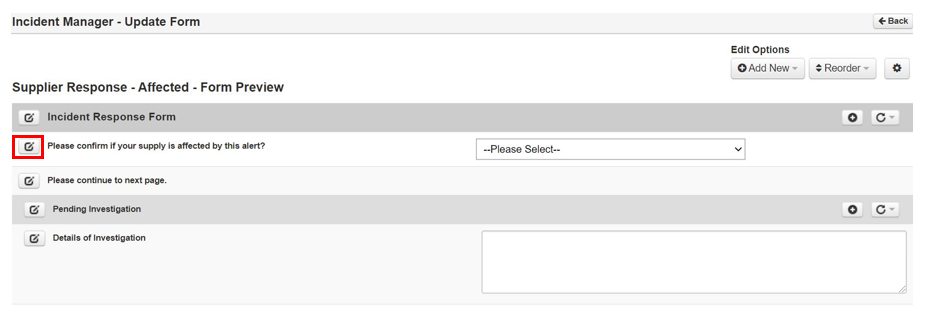
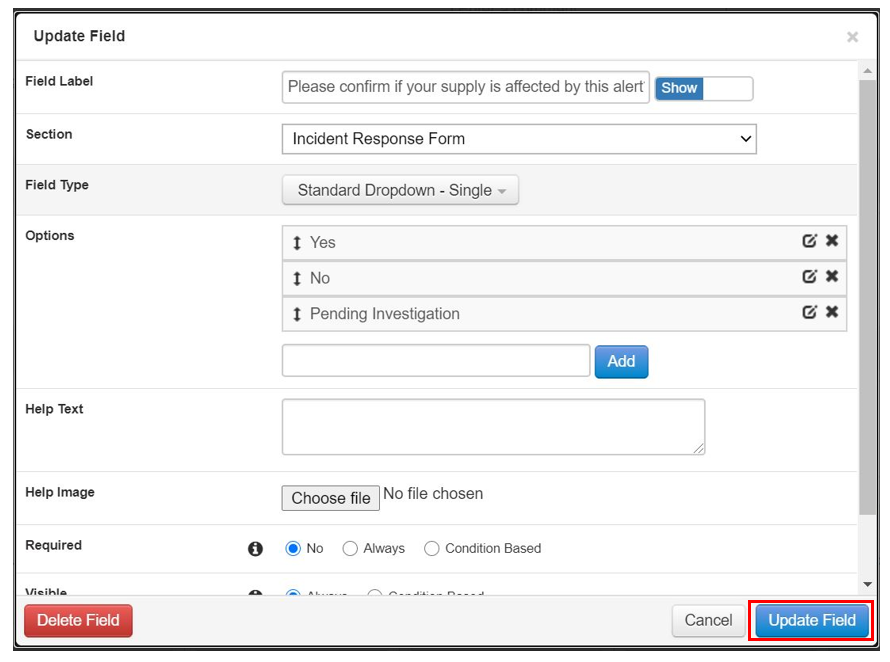
Step 6: Edit your questions & areas of information. Edit your options, set fields as required. Once done select Update Field.