![fc-logo.svg]](https://knowledgebase.foodsconnected.com/hubfs/fc-logo.svg)
The function of finalising Supplier Provided Audits can be switched on in the Admin settings, once it is enabled the following steps can be carried out.
Note – this can only be done once an audit has the status of being ‘Completed’
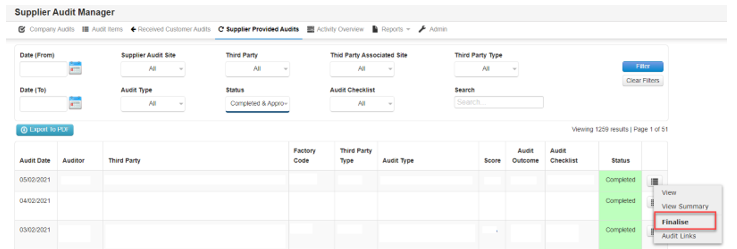
Step 1: Select the menu button beside the audit you want to finalise. Select the Finalise option from this menu.
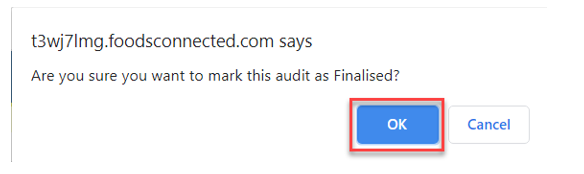
Step 2: A confirmation option will be presented, select the OK button to confirm the finalise step
The audit status will now move to showing as ‘Finalised’.