![fc-logo.svg]](https://knowledgebase.foodsconnected.com/hubfs/fc-logo.svg)
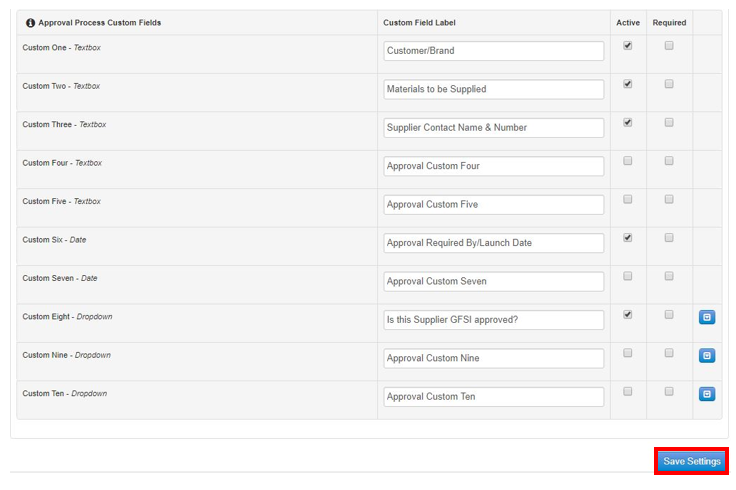
Approval process custom fields are a list of customised question you want to ask a supplier at the setup and request stage. See example below.
Admin - Supplier Approval Admin - New Suppliers - Approval Process custom fields
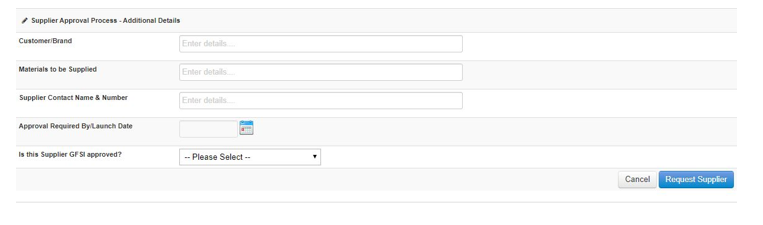
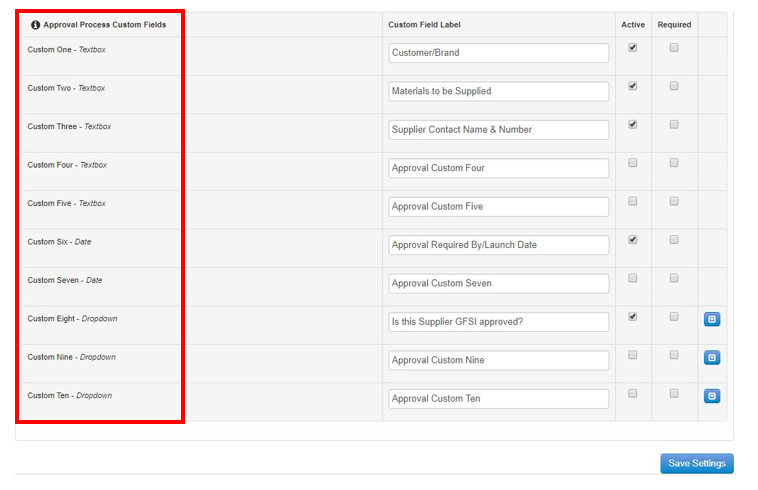
Step 1: Select which field type you want to use as you have a choice of Textbox, Dates, Dropdowns
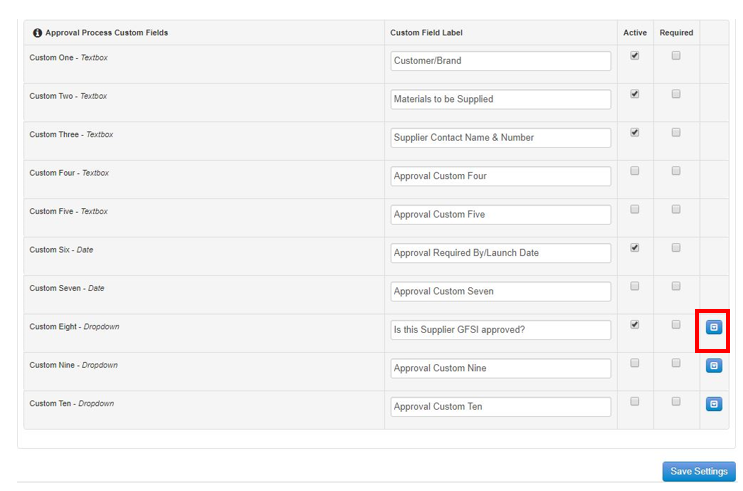
Step 2: If you choose a Dropdown add the Options required by selecting the blue edit icon beside the field you want to use
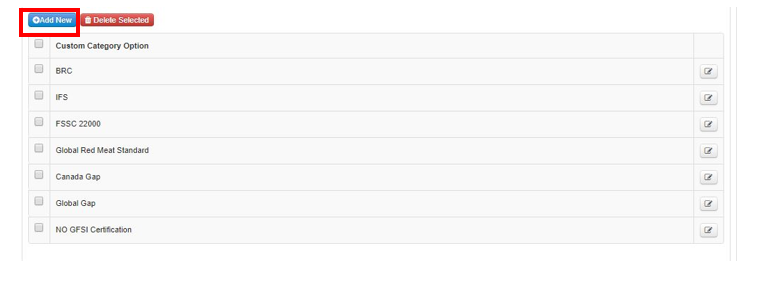
Step 3: Select Add New to add options
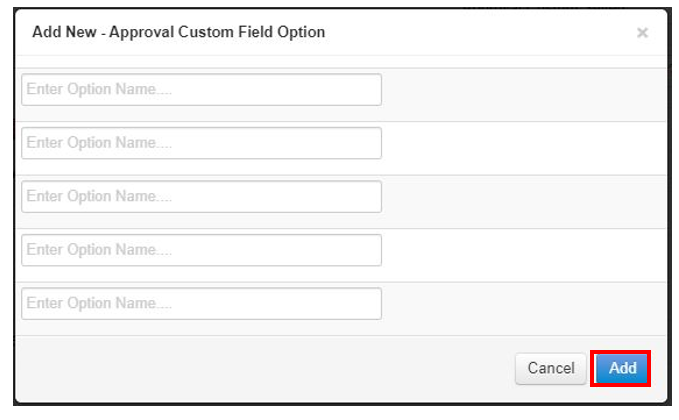
Step 4: Add your options and select Add to update the list
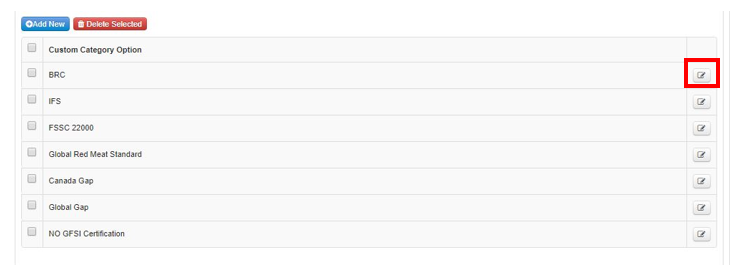
Step 5: To edit these simply select the edit button and follow Step 4 again
Step 6: Select Active beside the fields you want to turn on and select Required if this question must be answered by your suppliers
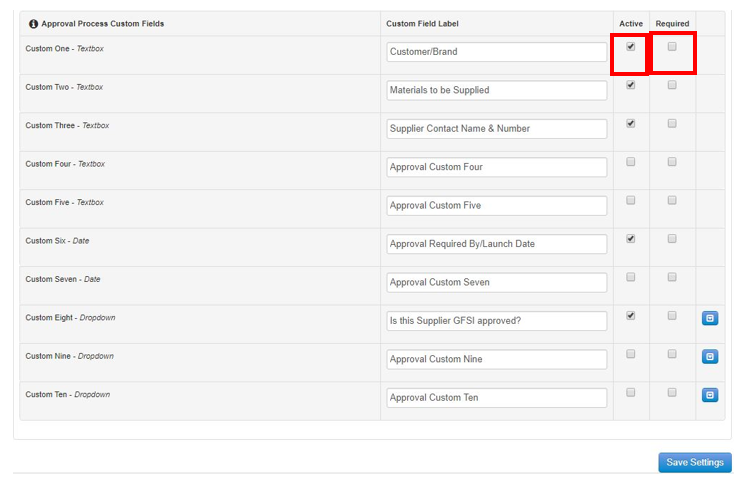
Step 7: Once done select Save Settings