![fc-logo.svg]](https://knowledgebase.foodsconnected.com/hubfs/fc-logo.svg)
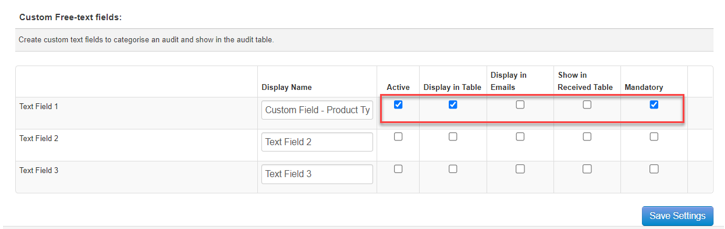
Step 1: Give the Custom free text field a name and set as Active & Display in Table, select Save Settings when done. Fields can also be set as mandatory if required.
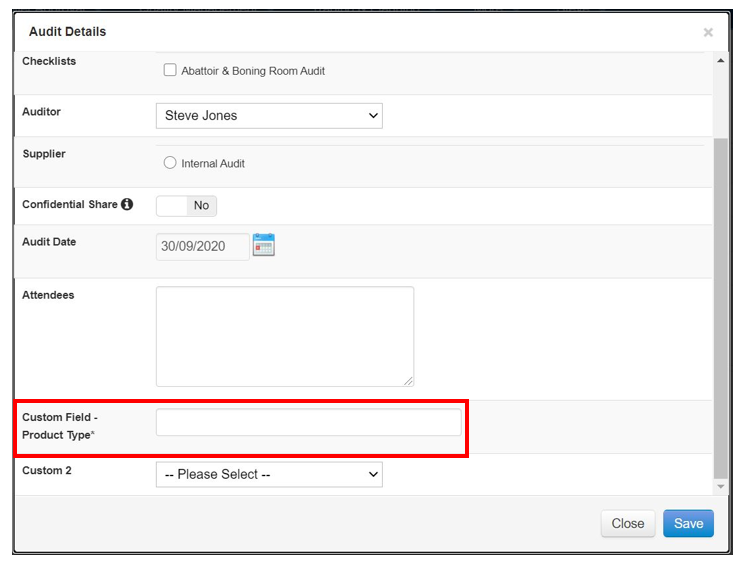
Step 2: This then activates then free text field and is used when you first add a new audit.
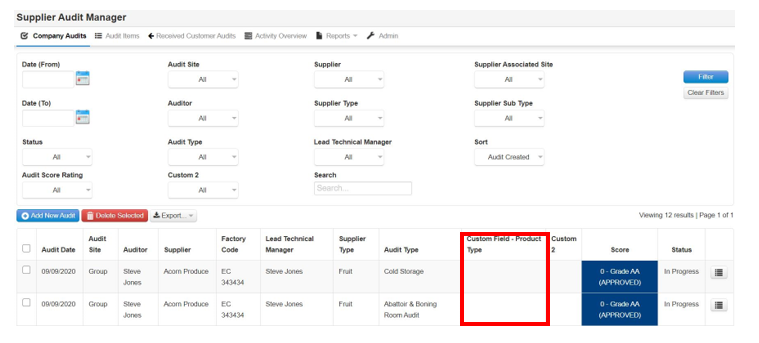
Step 3: This is what the field looks like in your finished table
Step 4: This is what this looks like when you go to do/complete an audit.