![fc-logo.svg]](https://knowledgebase.foodsconnected.com/hubfs/fc-logo.svg)
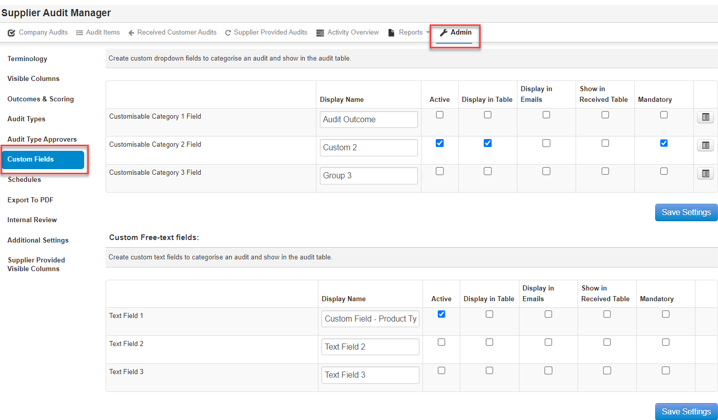
Step 1: Sign in, go to the Supplier Audit Manager, go to Admin, then Select Custom Fields from the left.
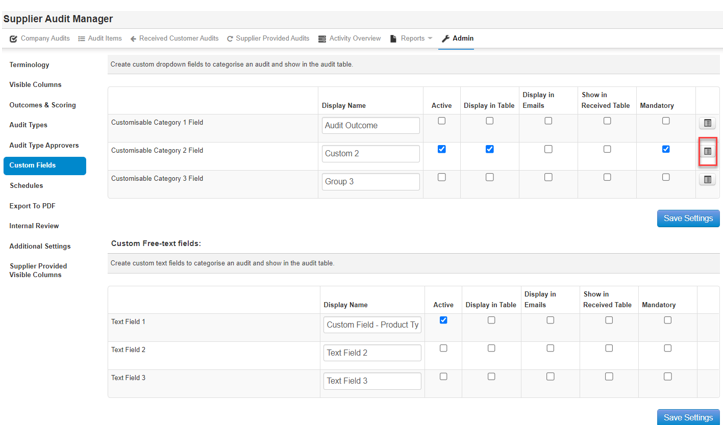
Step 2: Select Edit Audit Categories
Step 3: Select Add New to add further options. Select option by ticking, then select Delete Selected to delete.
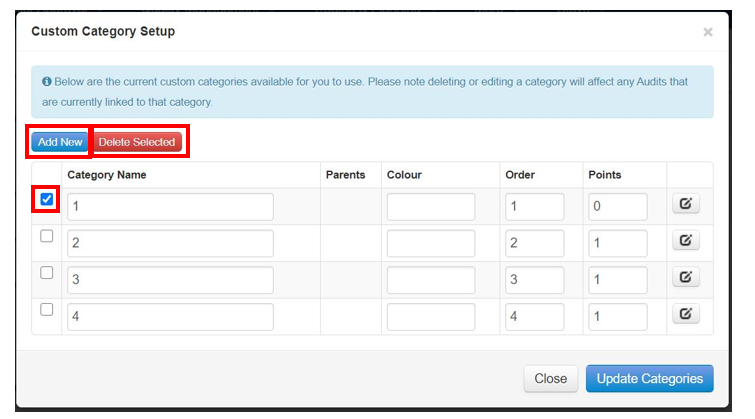
Step 4: And to edit select the edit button beside
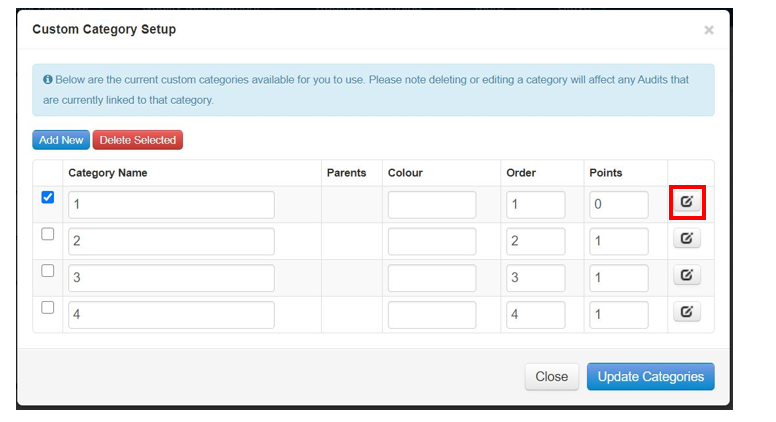
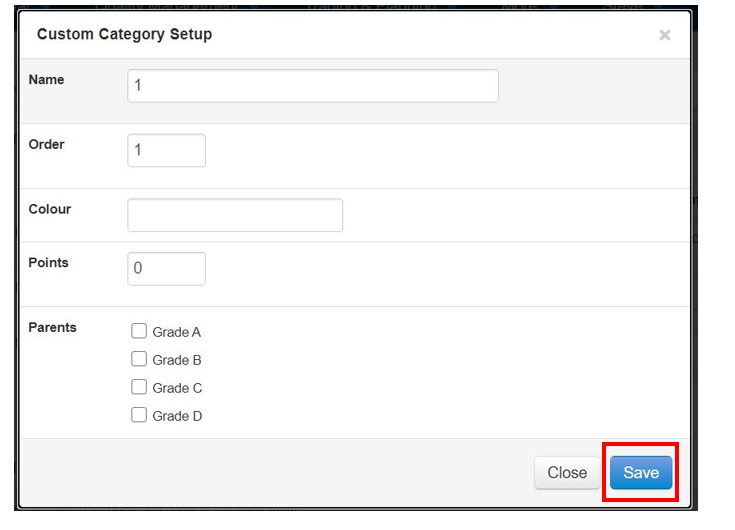
Step 5: Edit details as above per your requirements, select Save when done
Step 6: This is what the field looks like in your finished table
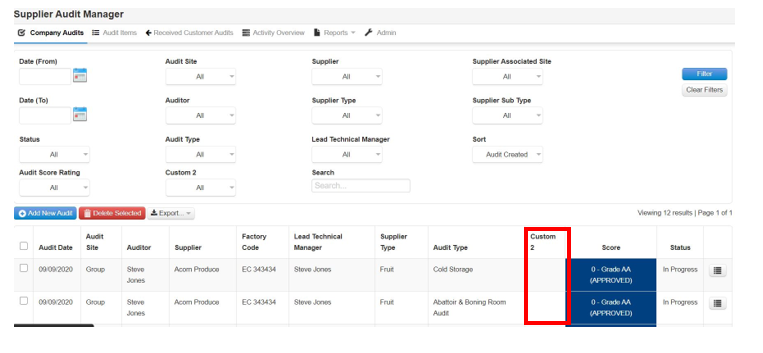
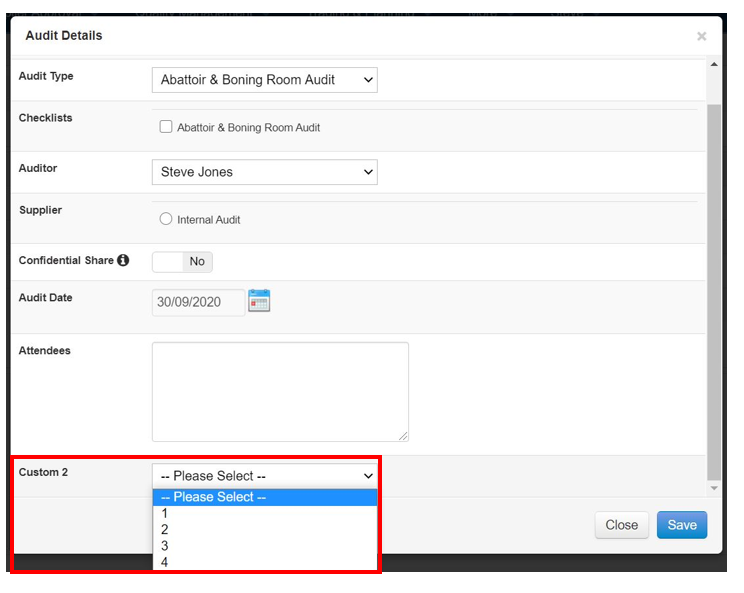
Step 7: This is what this looks like when you go to do/complete an audit.