![fc-logo.svg]](https://knowledgebase.foodsconnected.com/hubfs/fc-logo.svg)
Before you can add an approver you need to setup document categories. Here is where you setup the categories for the documents
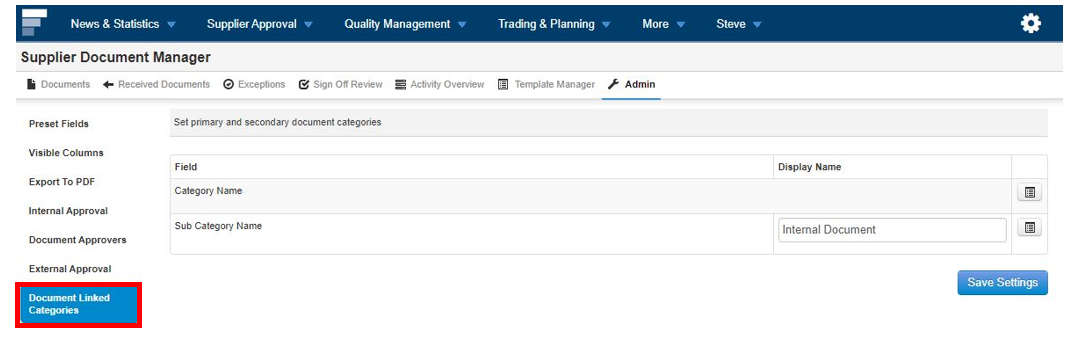
Step 1: Staying in the Admin section of the Supplier Document Manager, now select Document Linked Categories.
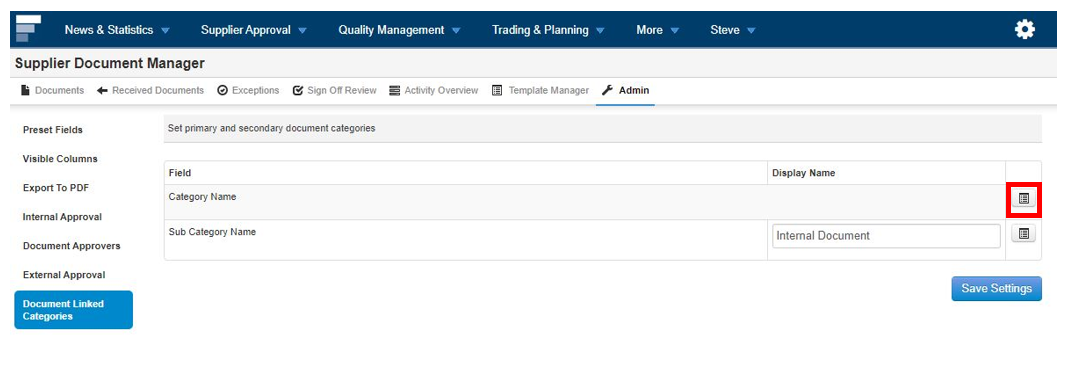
Step 2: Select the edit button beside Category Name
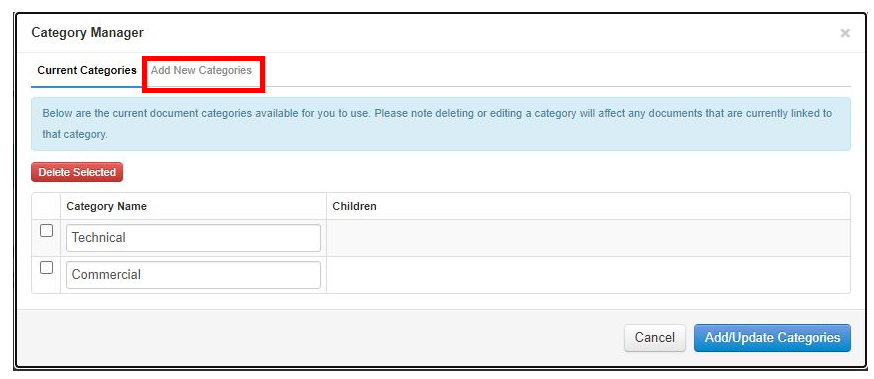
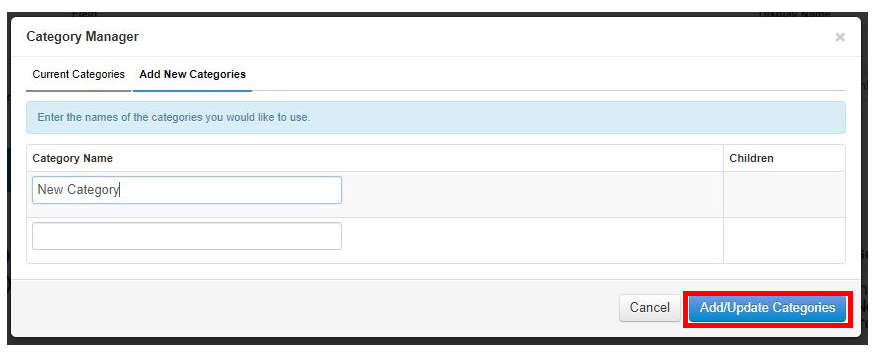
Step 3: Select Add New Categories
Step 4: Input the categories you want to use. Once done select Add/Update Categories
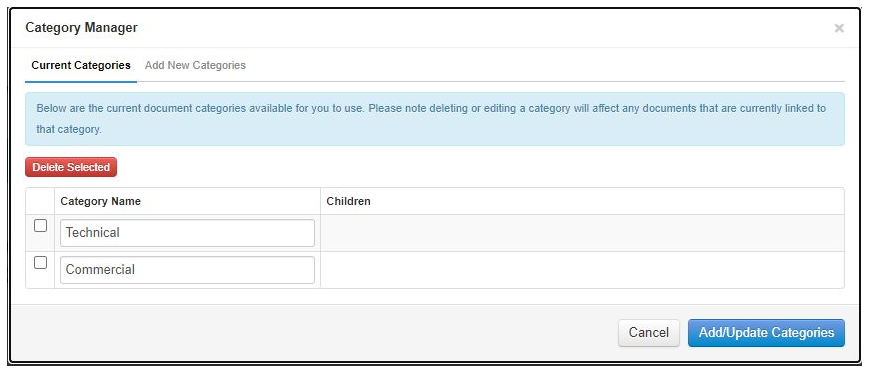
Step 5: Once done your categories will look like this below
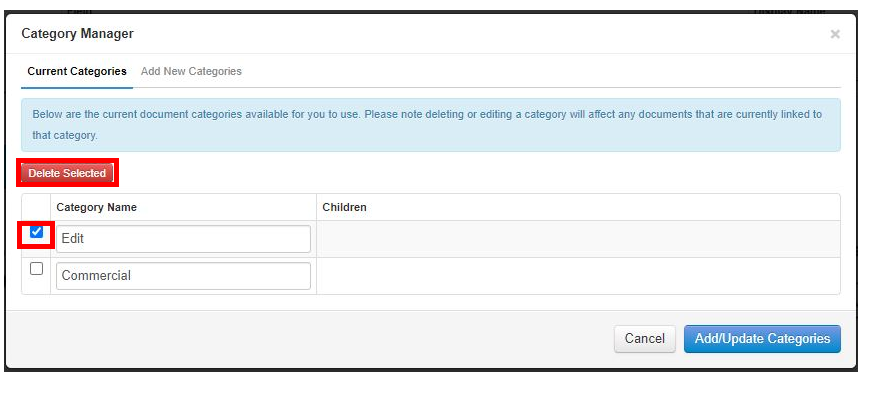
Step 6: If you need to edit simply change the text, then select Add/Update Categories. Once done select Add/Update Categories
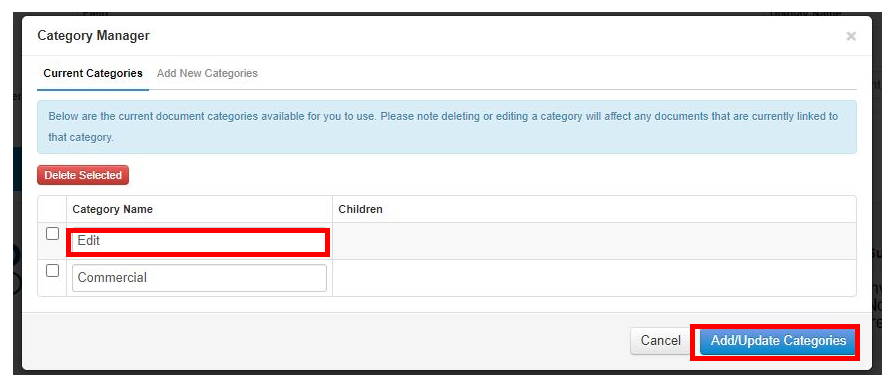
Step 7: To delete a category simply select the category, then select Delete Selected.