![fc-logo.svg]](https://knowledgebase.foodsconnected.com/hubfs/fc-logo.svg)
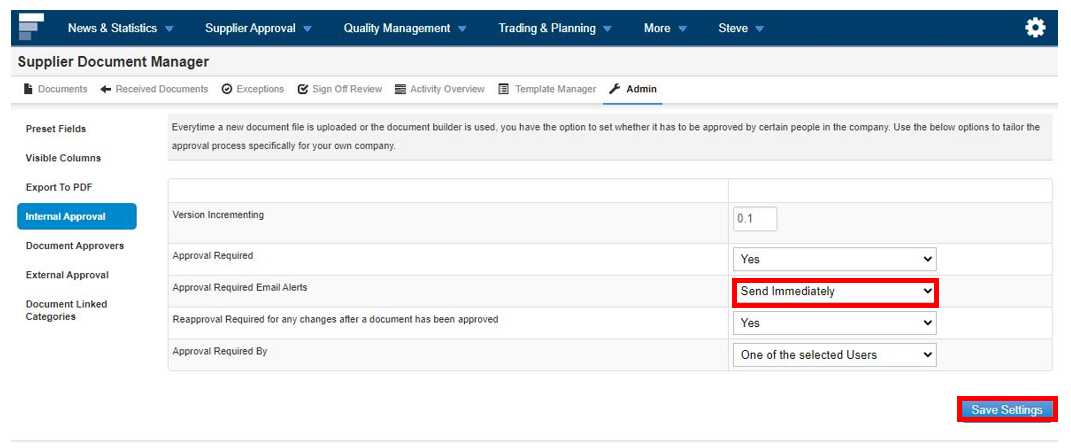
This setting allows you to send an email alert to the person who is to approve the document as well as a task.
Step 1: Staying in the Admin section of the Supplier Document Manager & in the Internal Approval tab. From the dropdown set the email alert to Off or Send Immediately. Once done select Save Settings