![fc-logo.svg]](https://knowledgebase.foodsconnected.com/hubfs/fc-logo.svg)
Step 1: To set up ‘pre-set’ fields navigate to the admin tab > Pre set fields
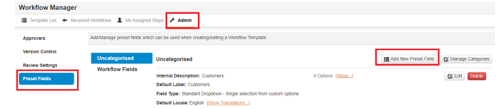
Step 2: To add pre set fields which can then be used in the template click on ‘add new pre set field’
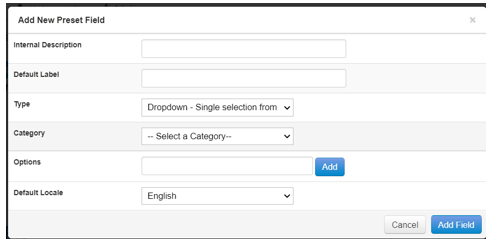
Step 3: Add pre set field description, label, type, category (if required), then add in your field options and click add field when complete.
Step 4: Any pre-set fields which have been added can be edited or deleted at any time. This will auto update for any pre-set fields which have been linked to a template
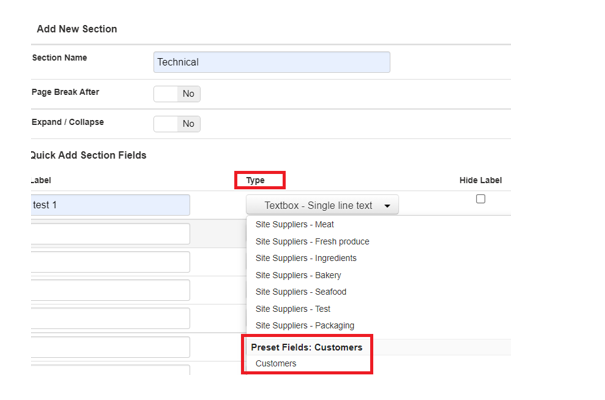
Step 5: When you are adding a field to the step in the template there will then be the option to use pre-set fields when adding field type. This will populate the answers which have been created previously.