![fc-logo.svg]](https://knowledgebase.foodsconnected.com/hubfs/fc-logo.svg)
You have been invited to activate an account with Foods Connected from your customer, whereby you will have received the following email: (If this email is not in your inbox, please check your junk/spam folder.)
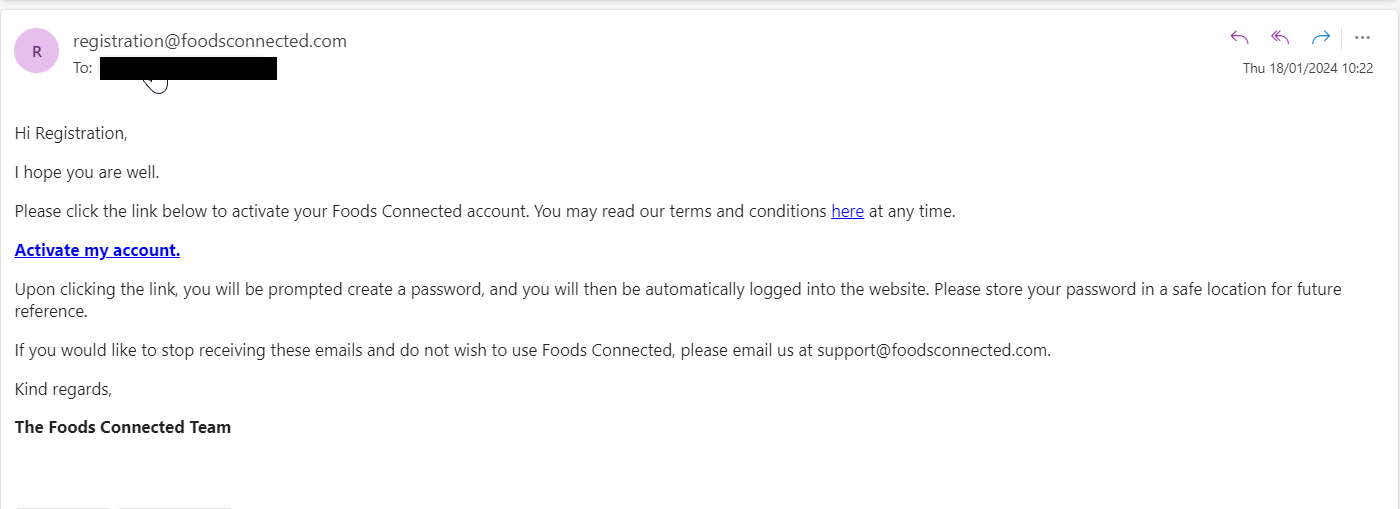
Step 1: Click on the link 'activate my account'
You will then be navigated to this page:
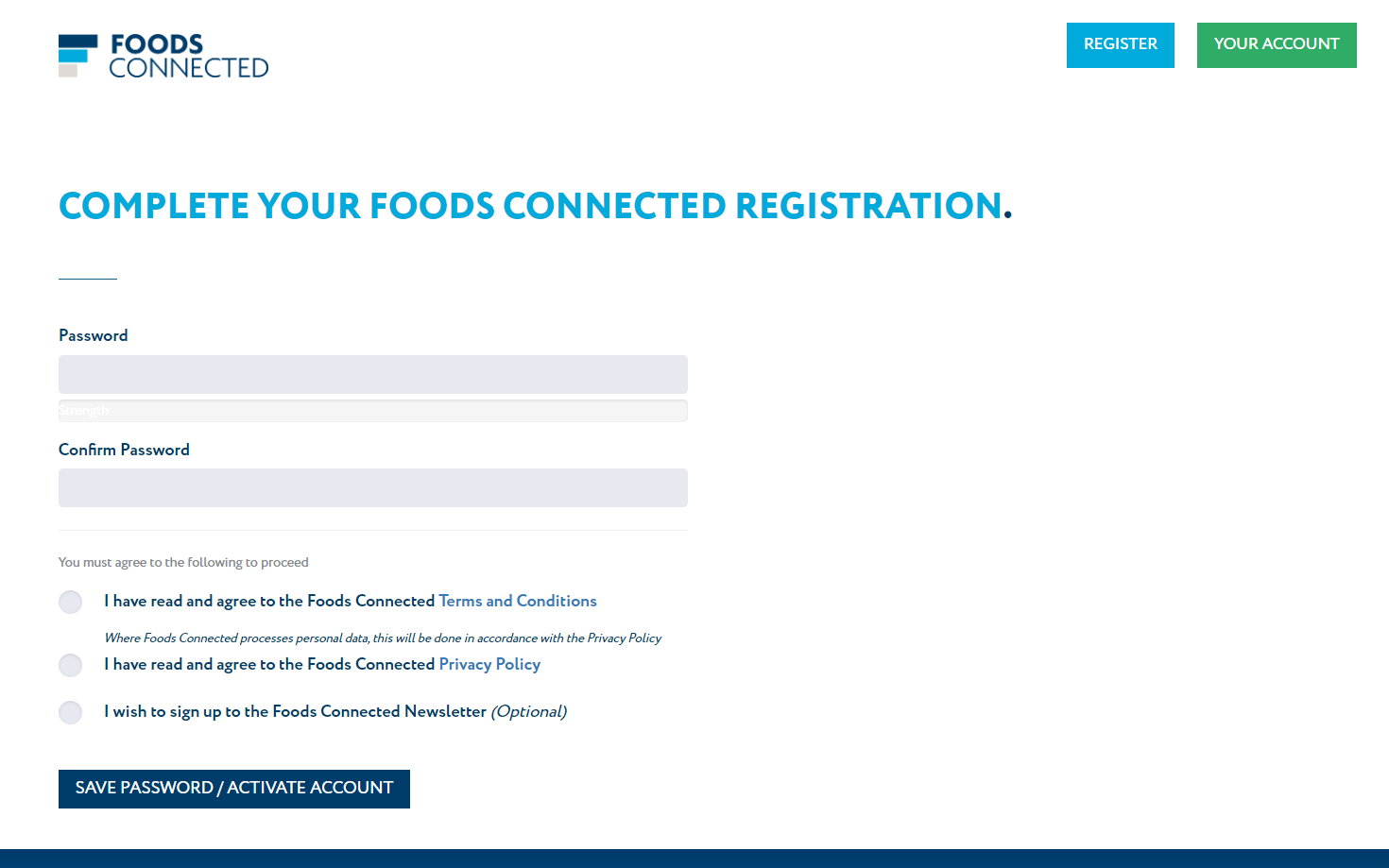
Step 2: Please complete each section then click 'save password / activate account'
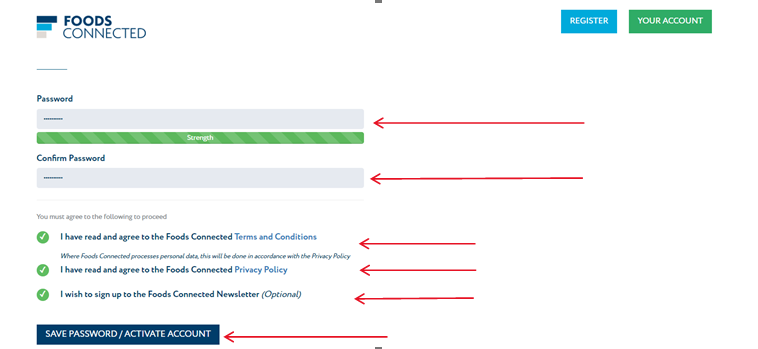
NOTE : Your password must be 8 characters in length, contain at least 1 Capital letter, 1 Number, and 1 Special Character such as $%£
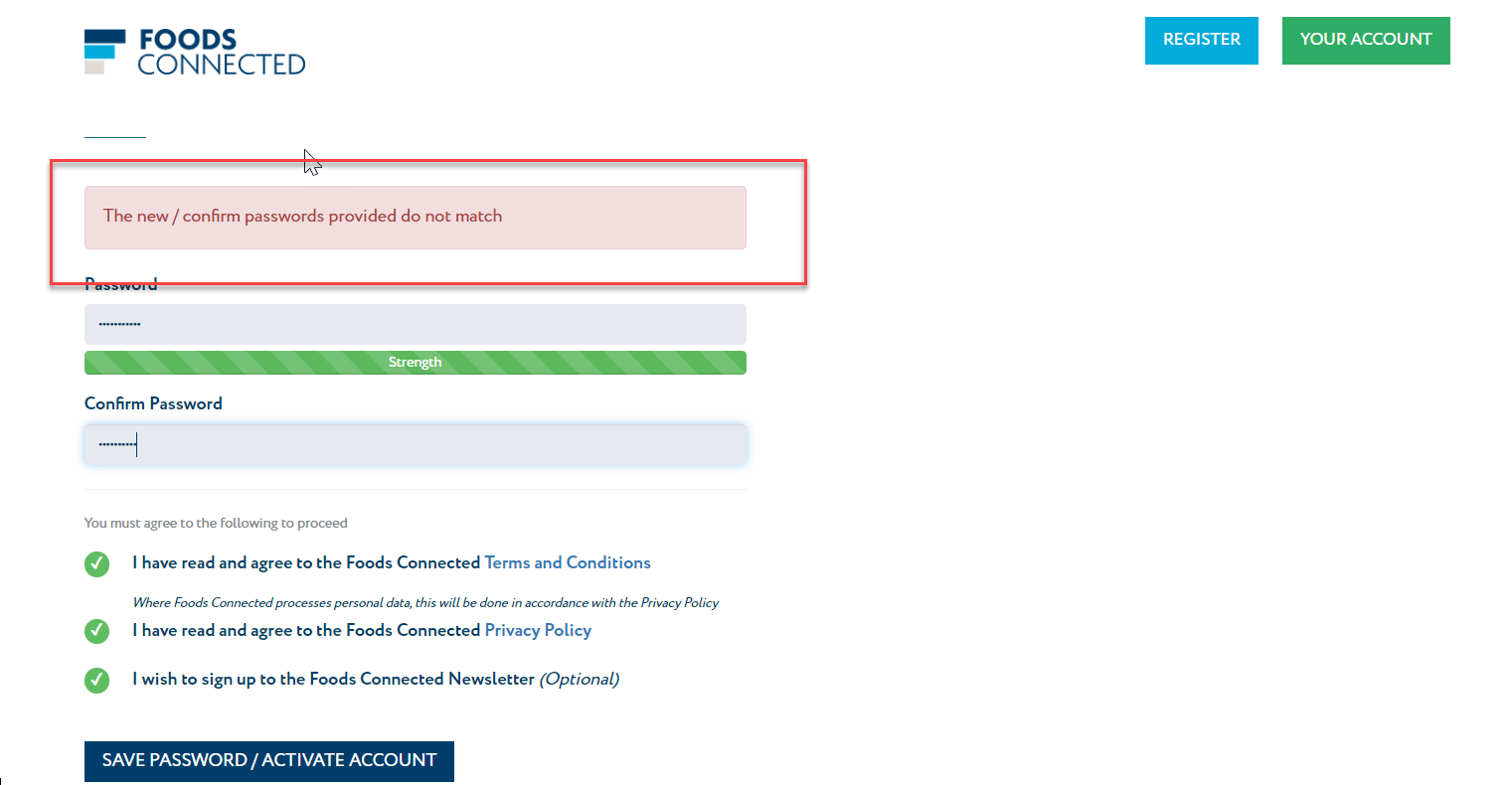
Your password must be 8 characters in length, contain at least 1 Capital letter, 1 Number, and 1 Special Character such as $%£This error will appear if the password do not match. Please re-enter the passwords and save to proceed:
Step 3: The next screen will look like below, please click on the complete registration button:

Step 4: This will then direct you to log in with your email and the password you just created:

