![fc-logo.svg]](https://knowledgebase.foodsconnected.com/hubfs/fc-logo.svg)
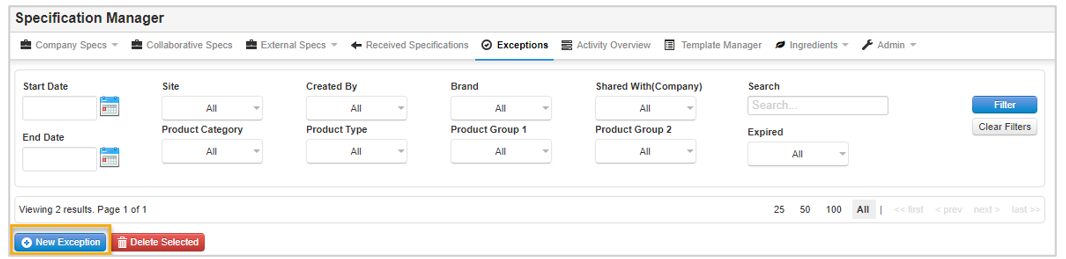
Step 1: From the Exceptions tab, click on New Exception and a form will open for the exception details.
Step 2: Fill in the relevant exception details and if you want suppliers to sign off the exception select Yes for the Sign-Off Required option.
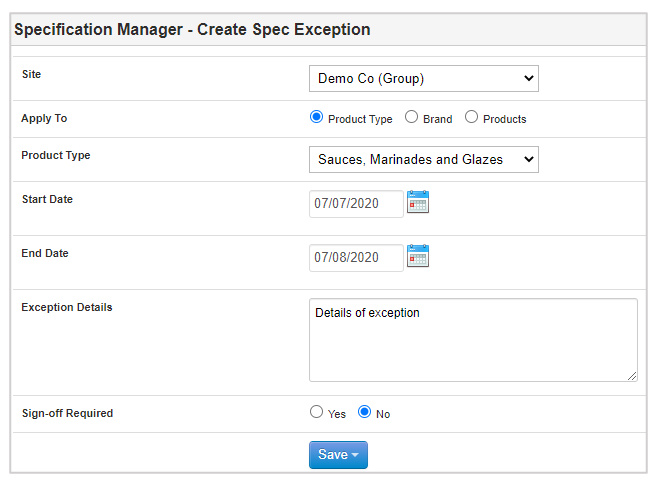
Step 3: Click on Save to save the exception.