Step 1: From the Quality Management tab, click on Specification Manager and then the Exceptions tab. This will open a list of created exceptions.
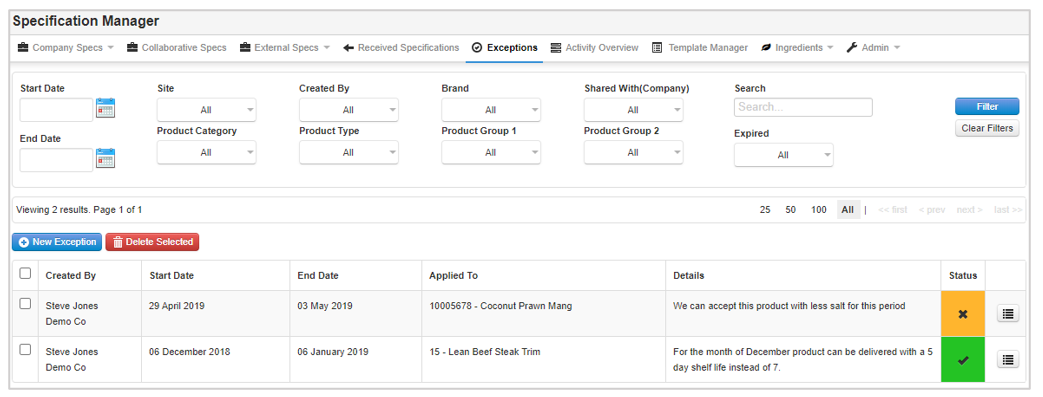
Step 2: Use the filters at the top to refine your results and you can view the details in the table.
![fc-logo.svg]](https://knowledgebase.foodsconnected.com/hubfs/fc-logo.svg)
Step 1: From the Quality Management tab, click on Specification Manager and then the Exceptions tab. This will open a list of created exceptions.
Step 2: Use the filters at the top to refine your results and you can view the details in the table.