![fc-logo.svg]](https://knowledgebase.foodsconnected.com/hubfs/fc-logo.svg)
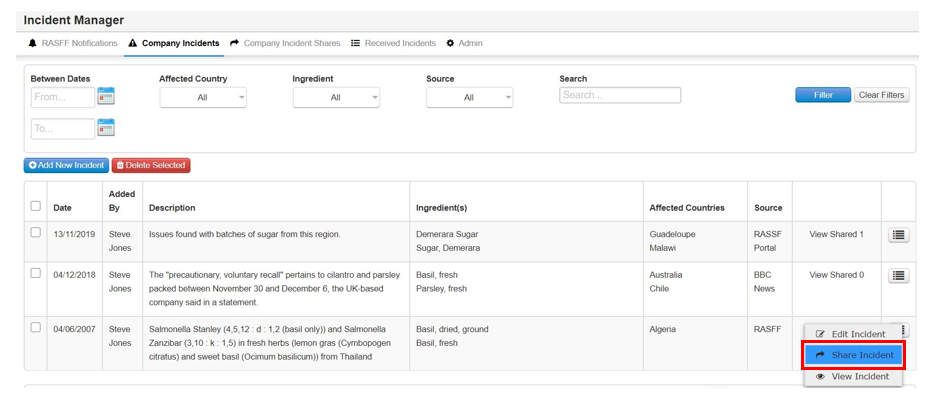
Step 1: Select the button beside the incident, then select Share Incident
Step 2: This page will show you the details again but this time it will include the specification that the ingredient is in & who supplied it. This will allow you to share this incident with the supplier to act on.
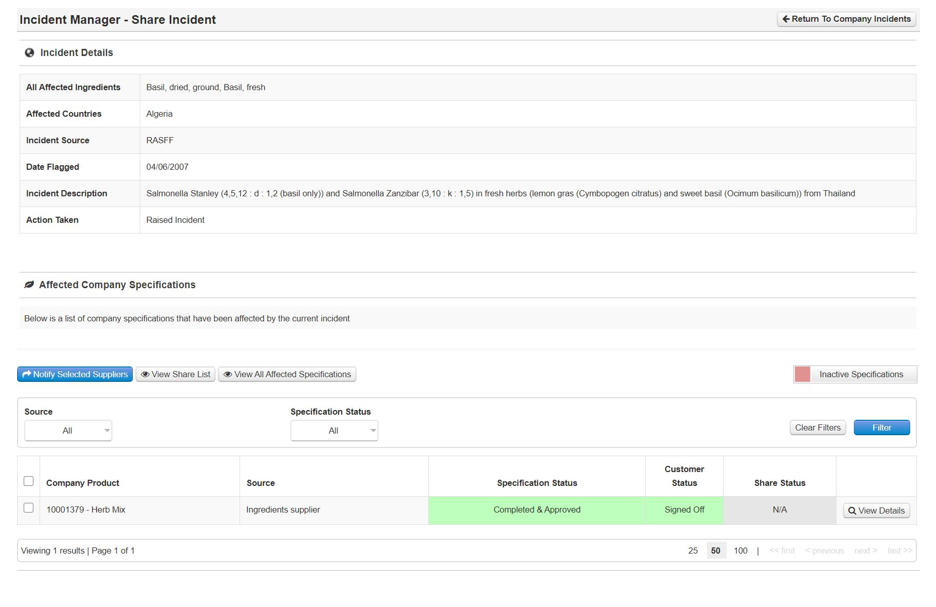
Step 3: You can view the spec by selecting View details
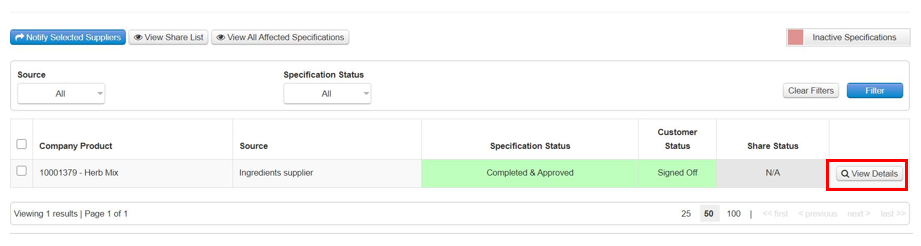
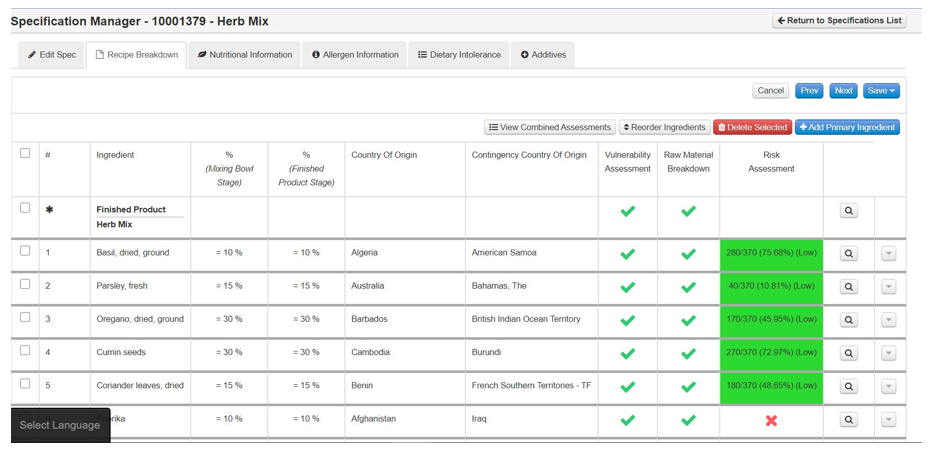
Step 4: The spec opens up for you to view. Close the tab when done.
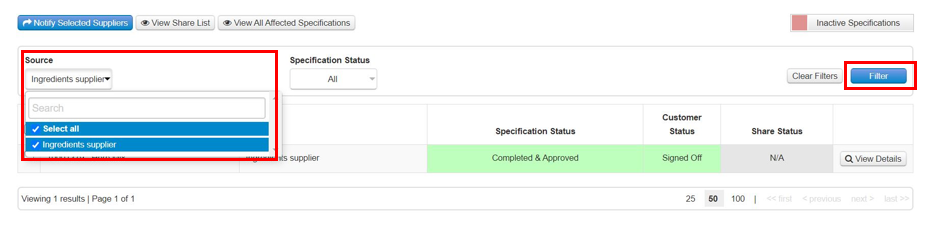
Step 5: You can also use the filters to narrow the specs should there be more that the search has populated. Once done select Filter to narrow your search.
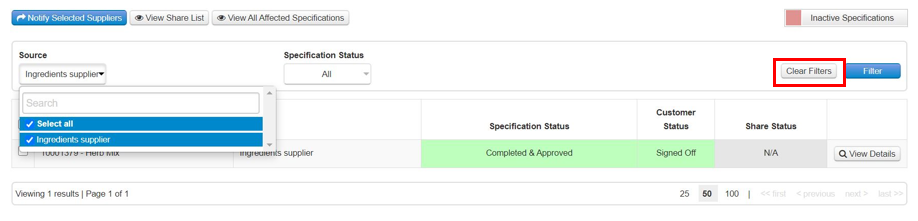
Step 6: When done select Clear Filters
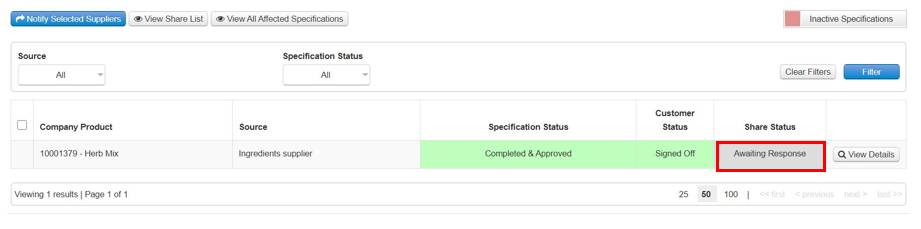
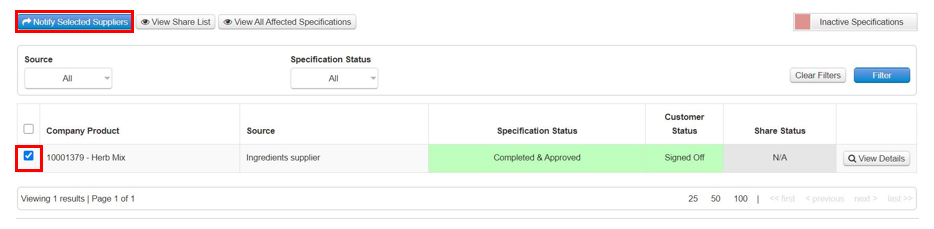
Step 7: Select the specification that the incident has raised by ticking it, then select Notify Selected Suppliers.
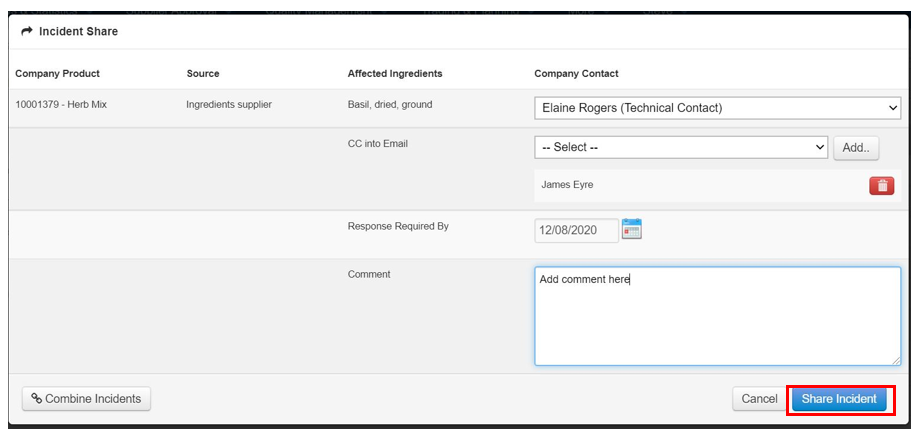
Step 8: Select the contact to send to, select someone to CC if you want to, set the Response Required By date, add a comment if necessary & when done select Share Incident.