![fc-logo.svg]](https://knowledgebase.foodsconnected.com/hubfs/fc-logo.svg)
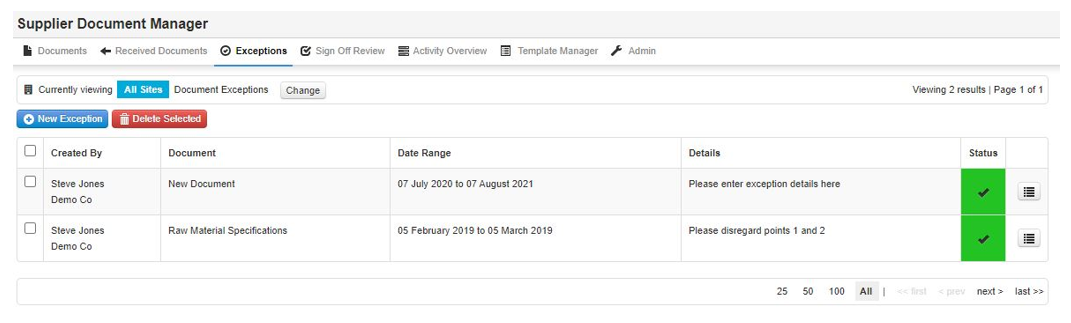
Step 1: Select Exceptions, then select New Exception

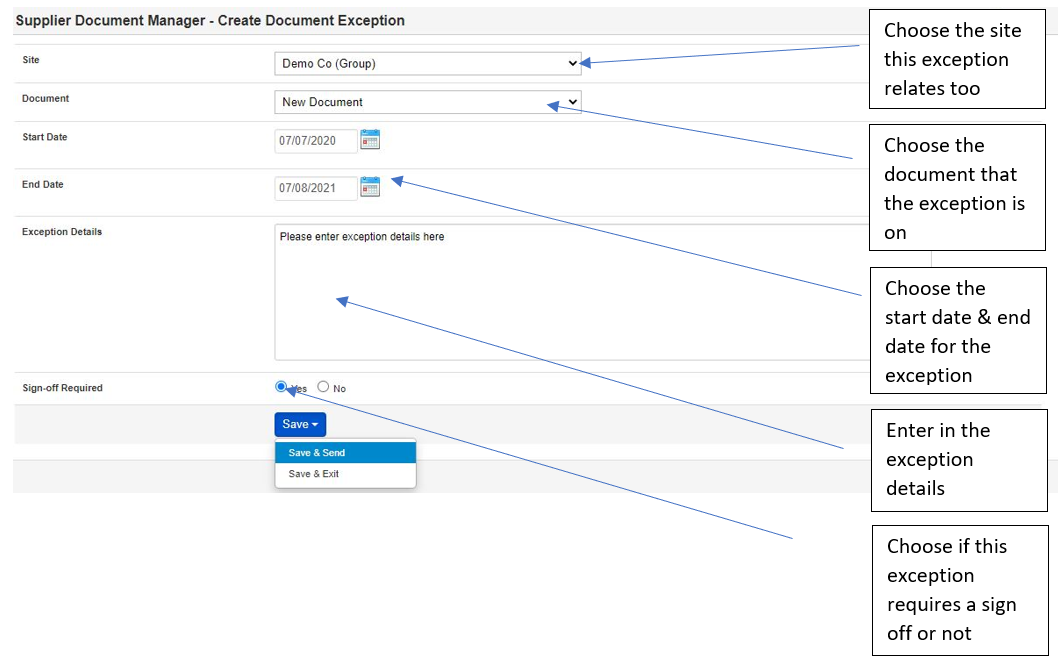
Step 2: Now select the details of the exception
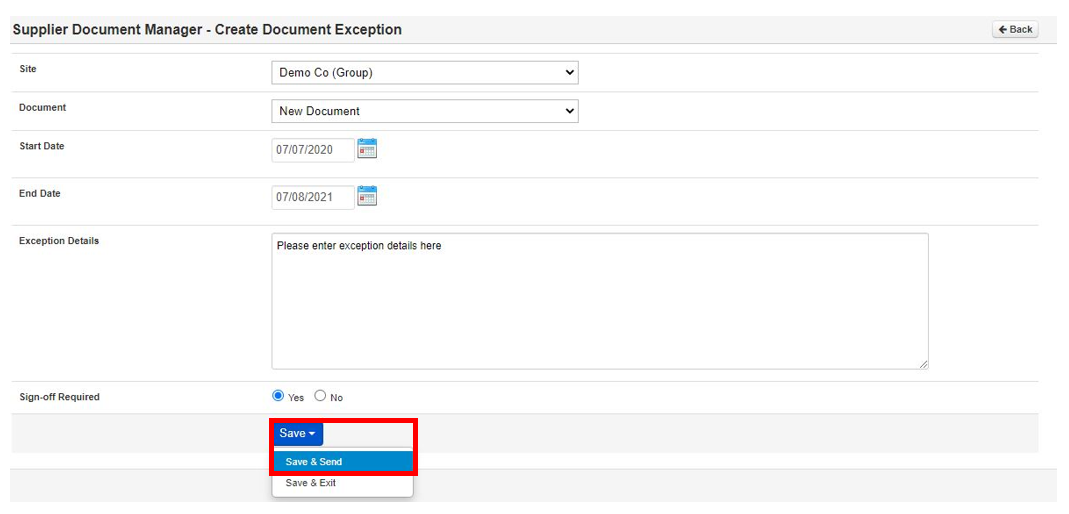
Step 3: Once done select Save & Send
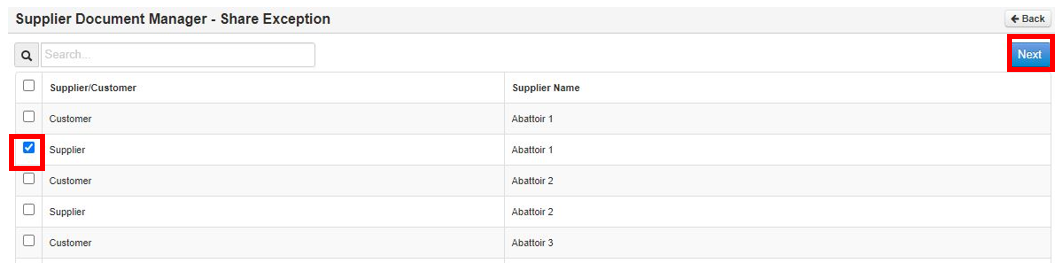
Step 4: Now select the supplier to send too, then select Next
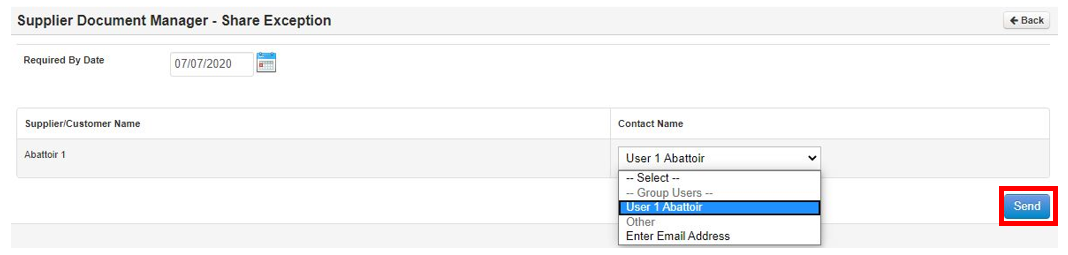
Step 5: Now choose the date the sign off is required by & the user to sign it off. Once done select Send.
Step 6: The status will revert to amber requires sign off & look like below
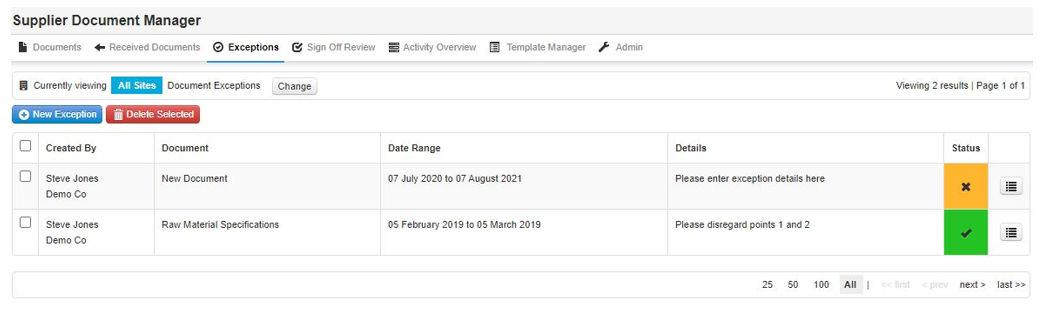
Step 7: Once it has been signed off the status will look like this below