![fc-logo.svg]](https://knowledgebase.foodsconnected.com/hubfs/fc-logo.svg)
A product/specification must first be linked to a customer to provide the customer access to view linked specifications.
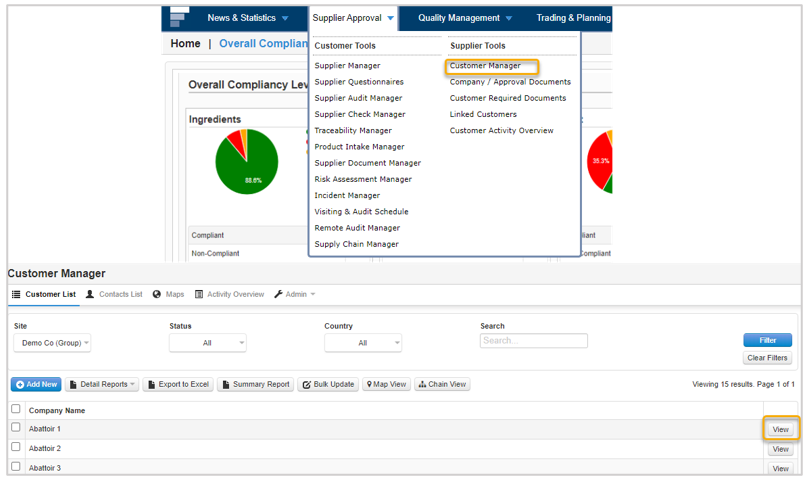
Step 1: Select Supplier Approval tab and select Customer Manager. Select the View at the required Customer.
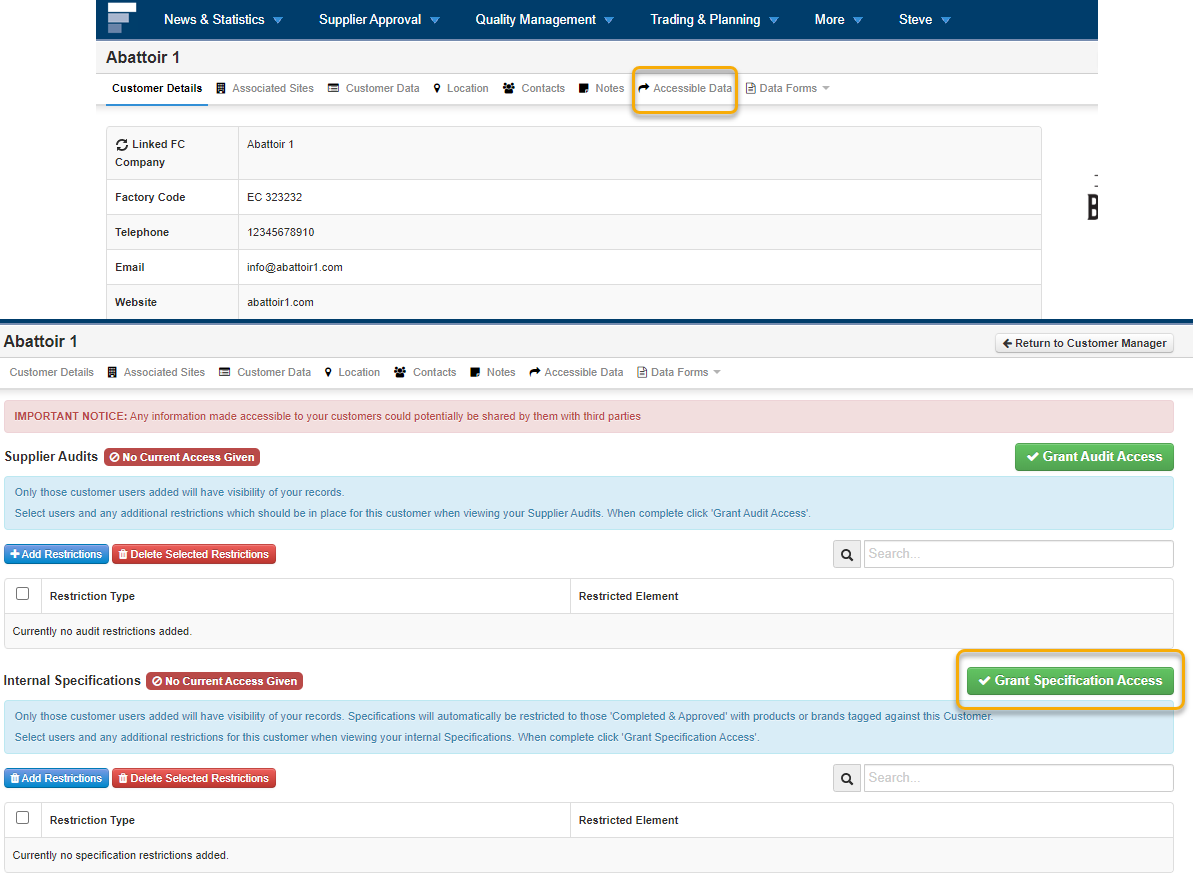
 Step 2: Select Accessible data tab and select Grant Specification Access.
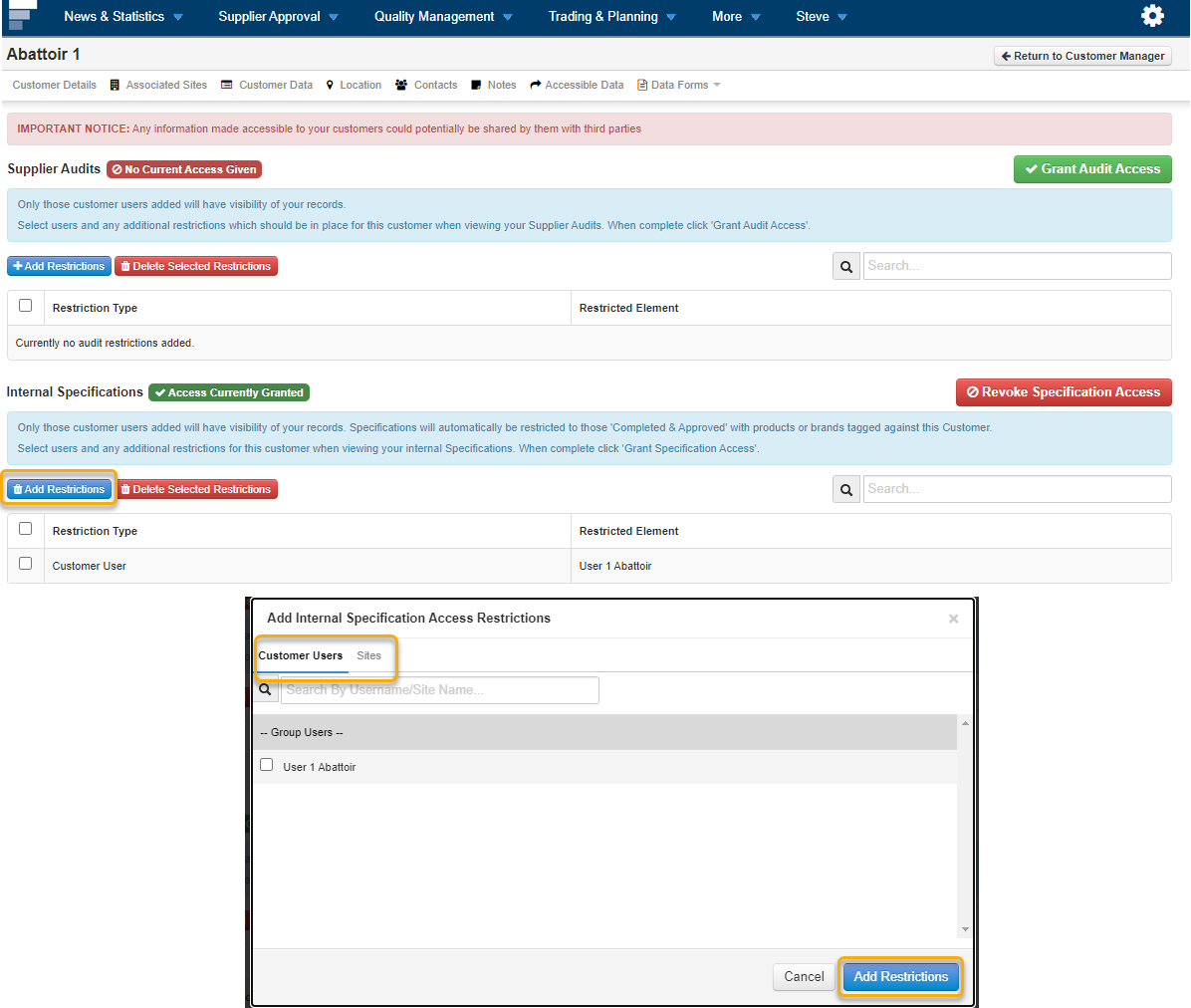
Step 3: To provide access to users select Add Restrictions and select Users / Sites Select Add Restrictions and select Users / Sites and select Add Restrictions