![fc-logo.svg]](https://knowledgebase.foodsconnected.com/hubfs/fc-logo.svg)
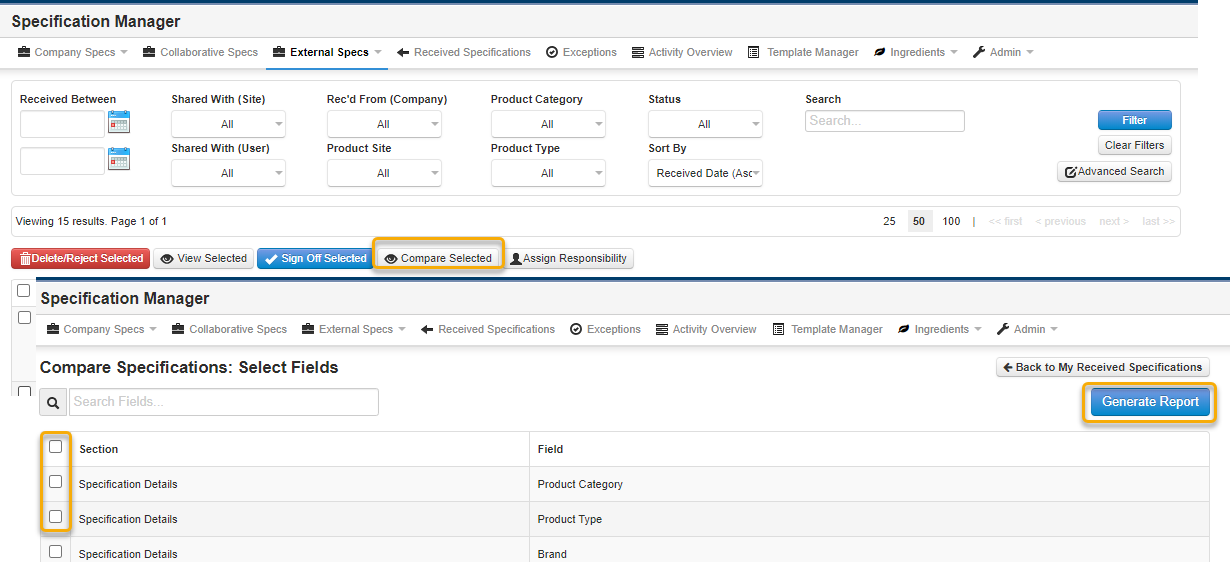
Step 1: From the External Specs page, tick the checkboxes of the specifications you would like to compare and click on the Compare Selected button underneath the filters.
Step 2: Select the specification fields you would like to compare and click on Generate Report.
Step 3: A table will be generated pulling in the selected information, this can be exported to excel by clicking on the Export to Excel option at the top of the page.