![fc-logo.svg]](https://knowledgebase.foodsconnected.com/hubfs/fc-logo.svg)
Step 1: From the External Specs tab, click on the Action button beside the specification you want to request more info on and select Request More Info from the list.
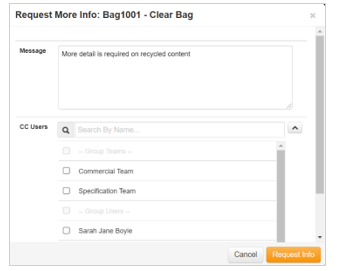
Step 2: A pop-up window will open for you to input the detail of your request. The request will automatically send to the supplier user who shared the completed specification but you can add users to CC into the email notification. Click on Request Info to send the notification to the supplier.