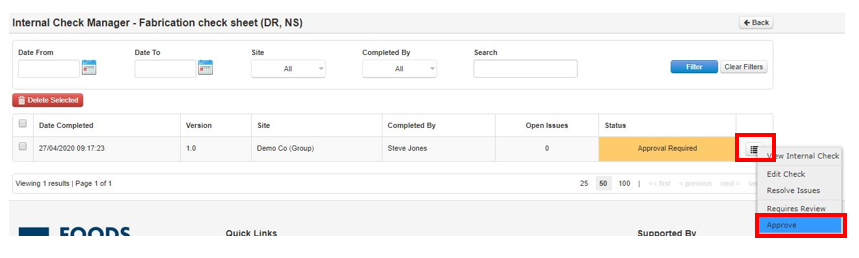
Step 1: Once you are happy with the Check and want to confirm, then if you are an approver select the icon and then Approve
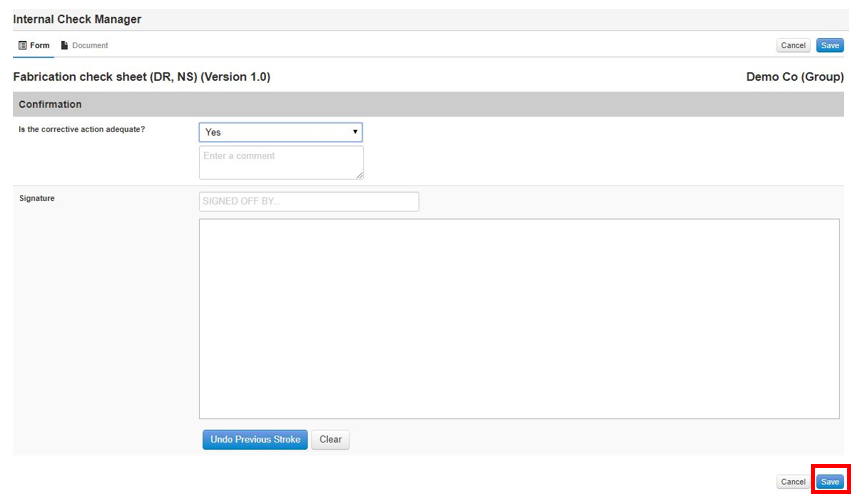
Step 2: Fill in your confirmation template then Save
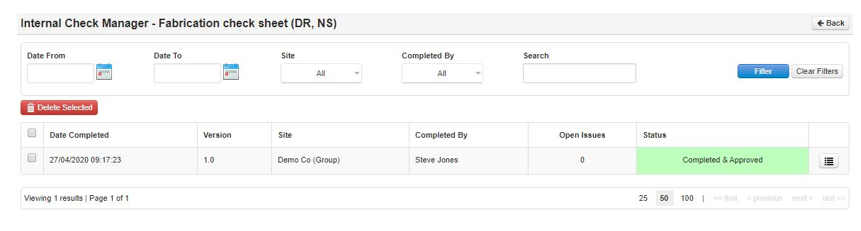
Step 3: The status updates to Completed & Approved
![fc-logo.svg]](https://knowledgebase.foodsconnected.com/hubfs/fc-logo.svg)
Step 1: Once you are happy with the Check and want to confirm, then if you are an approver select the icon and then Approve
Step 2: Fill in your confirmation template then Save
Step 3: The status updates to Completed & Approved