![fc-logo.svg]](https://knowledgebase.foodsconnected.com/hubfs/fc-logo.svg)
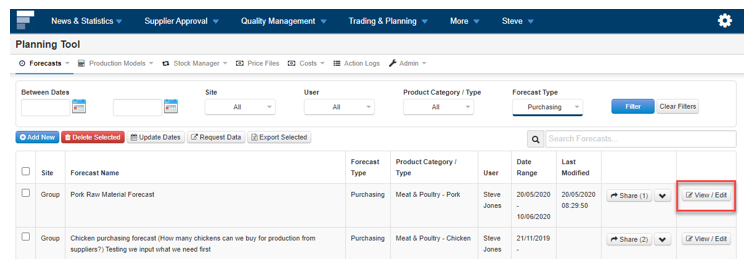
Step 1: Sign in to Foods Connected and select Trading & Planning then select Forecasts.
Step 2: Update the Forecast by selecting View/Edit
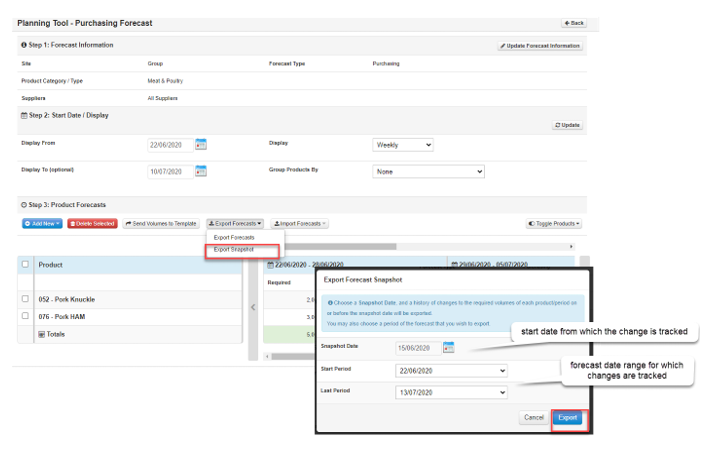
Step 3: Select Export Forecast and Select Export Snapshot. Select Snapshot Date and the period which you would like to track changes and select Export.