![fc-logo.svg]](https://knowledgebase.foodsconnected.com/hubfs/fc-logo.svg)
The renewal period for external specifications can be set at a specification template level.
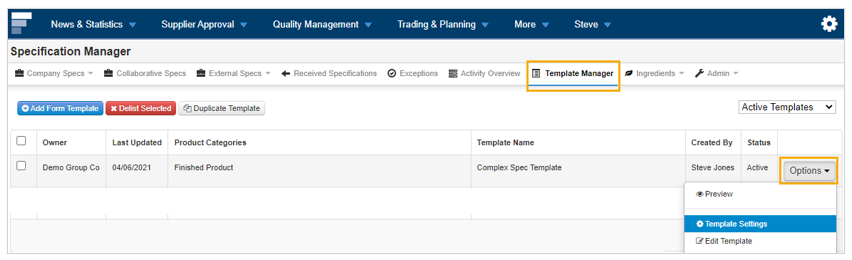
Step 1: From the Specification Manager tool, go to the Template Manager section.
Step 2: Click on the Options button beside the template you would like to set the review period for and select Template Settings.
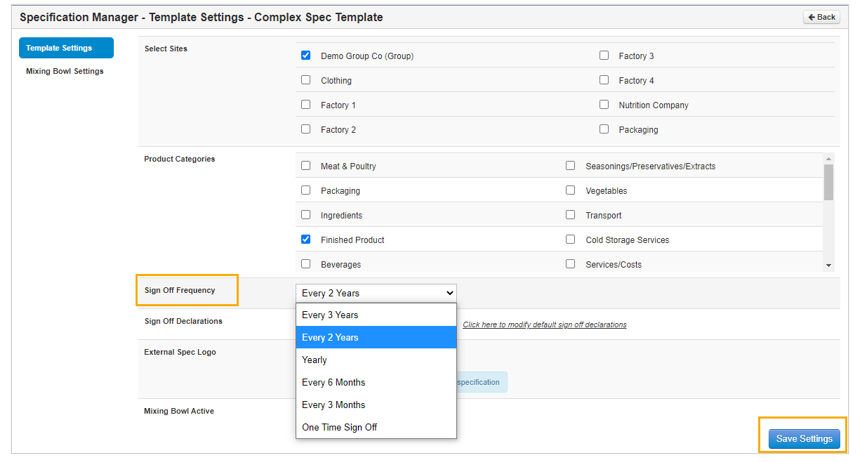
Step 3: Select your chosen review frequency and click on Save Settings.
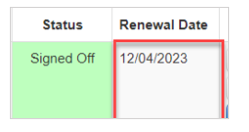
Step 4: This will set up the review frequency for all future completed external specs so the renewal date will calculate from the sign off date and show beside each specification