![fc-logo.svg]](https://knowledgebase.foodsconnected.com/hubfs/fc-logo.svg)
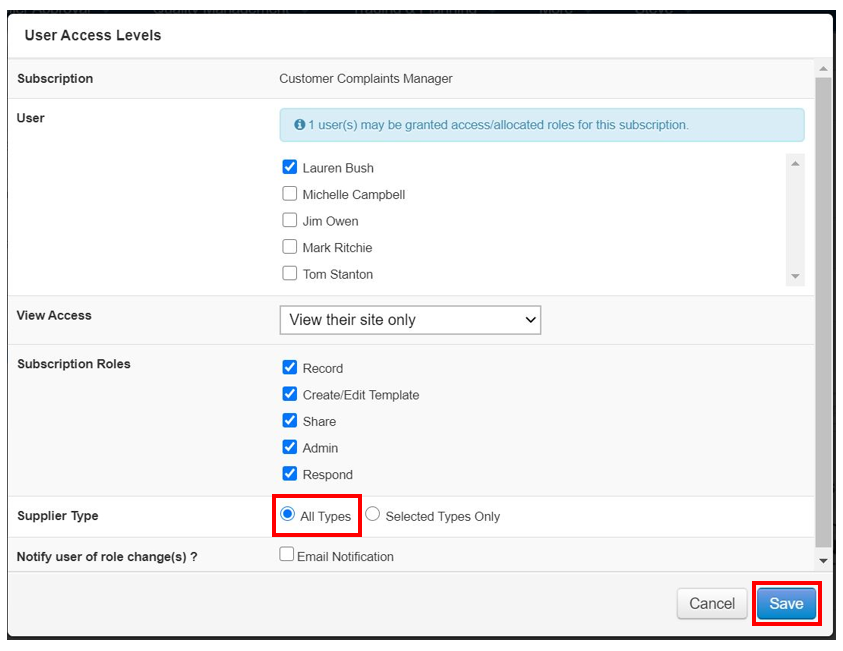
Step 1: Select All Types under Supplier types. This means this user can view all types of suppliers. Select Save when done
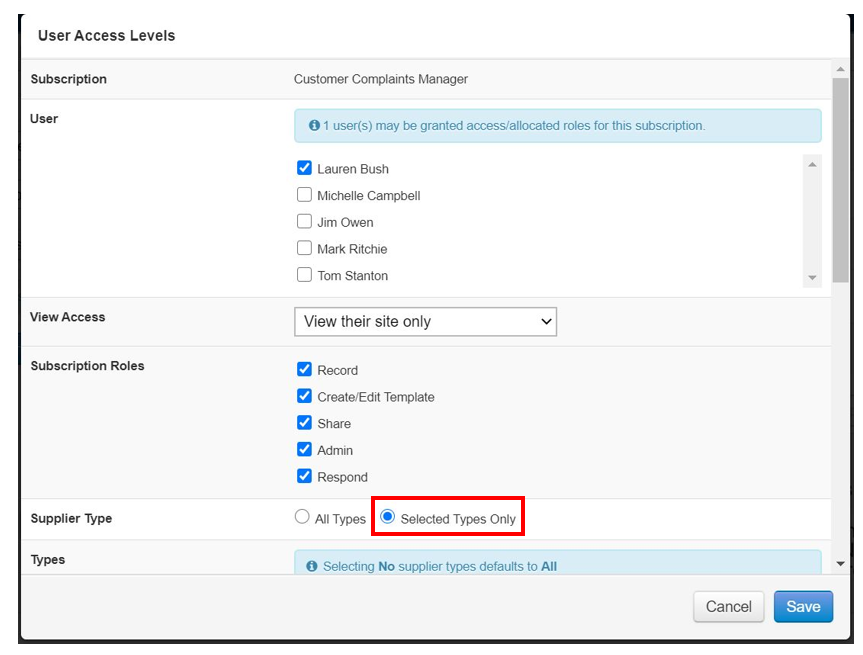
Step 2: If you want to restrict access, select Selected types only, under Selected Types
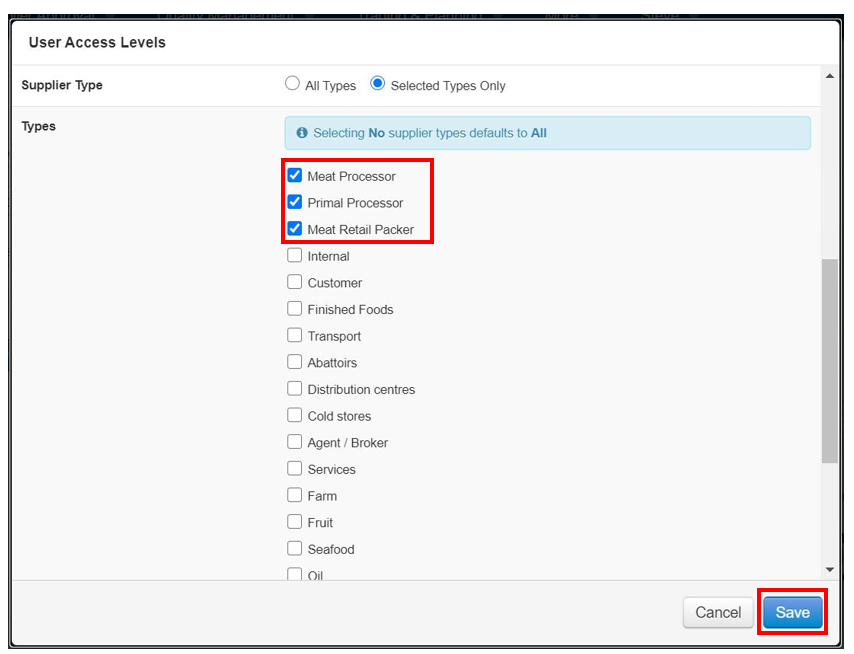
Step 3: The supplier types options opens up for you to select which suppliers they can view. Select suppliers then select Save when done.