![fc-logo.svg]](https://knowledgebase.foodsconnected.com/hubfs/fc-logo.svg)
Step 1: Change the filter to Confirmed – Awaiting Confirmation Note and then select the orders you would like to mass upload a confirmation note to. Then click Upload Confirmation Note.

Step 2: Add in the details that are required on the Multi Confirmation Note Import.
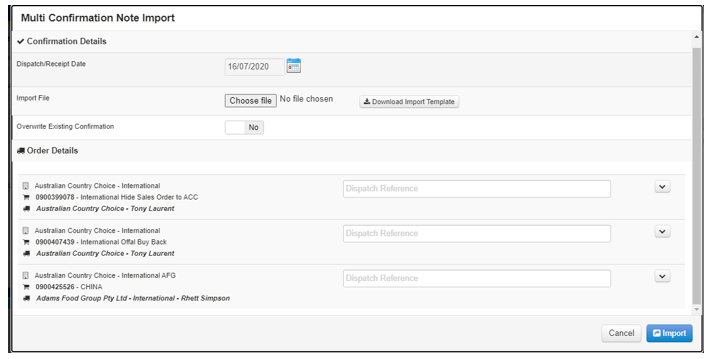
Dispatch / Receipt Date: Select the dispatch / receipt date
Import File: Select choose file if it is saved on your computer.
Download Import Template: Download the import template and add in the required information for the corresponding orders.
Overwrite Existing Confirmation: By selecting yes it will overwrite any preview orders that have a confirmation note uploaded against it.
Dispatch Reference: Input the dispatch for the orders selected.
Step 3: Once you have inputted all the information select import.