![fc-logo.svg]](https://knowledgebase.foodsconnected.com/hubfs/fc-logo.svg)
If you need to delist a site from being supplied by a supplier follow these steps
Step 1: On the associated sites tab for a supplier, select the site on the Edit menu & at the bottom of the page you can select Delist Supplier - Note this is only available if you have Admin permissions
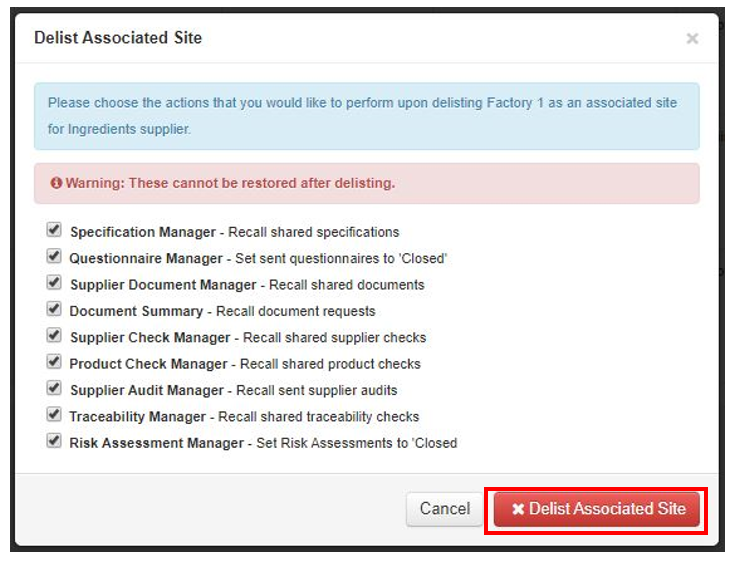
 Step 2: Choose what you want to save or do from the checklist, then select Delist Associated Site
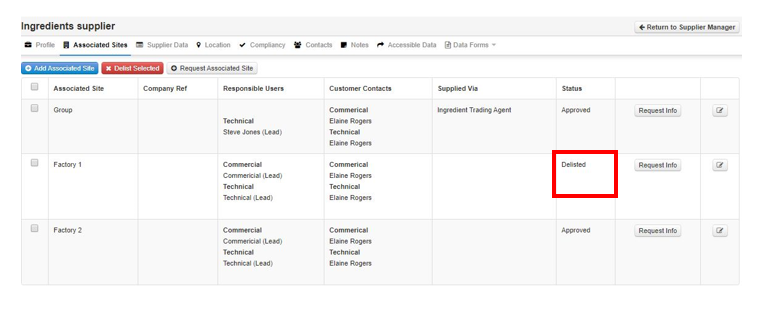
 Step 3: The status of the site will revert to delisted