![fc-logo.svg]](https://knowledgebase.foodsconnected.com/hubfs/fc-logo.svg)
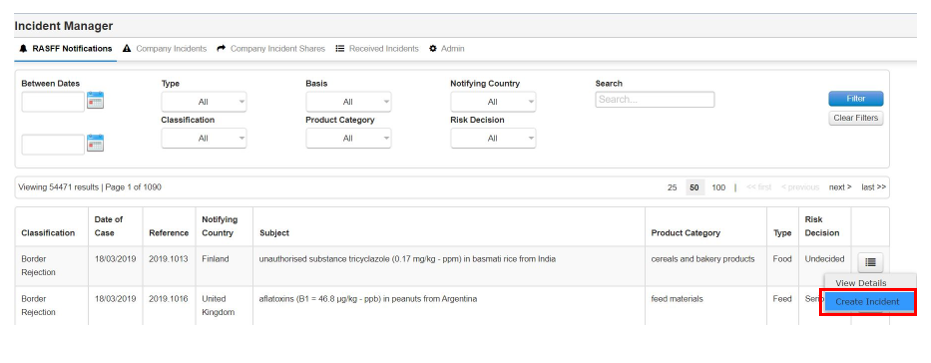
Step 1: Select the button beside the notification, then select Create Incident
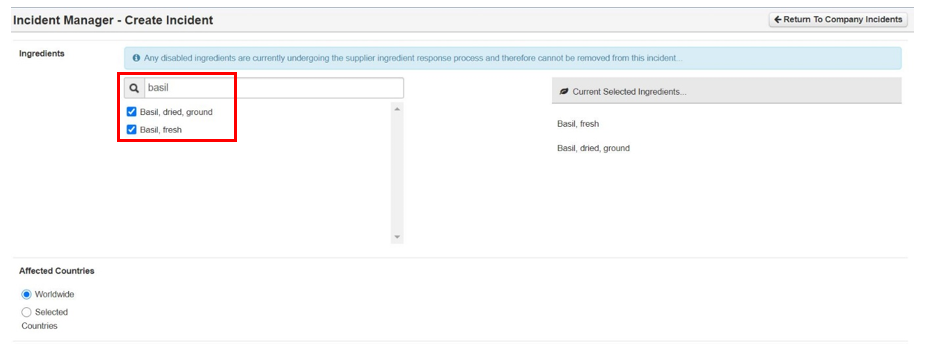
Step 2: Search the ingredient from the list, then tick it. As you tick it, the ingredient will appear on the right, this means it is selected.
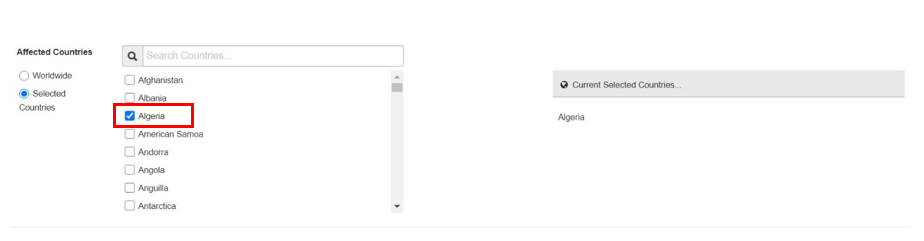
Step 3: Now select the country where your ingredients came from. Search the list, then tick it. The country will appear on the right, this means it’s selected.
Step 4: Now select the date the incident was flagged & write a description. Once done select Save then Save & Exit
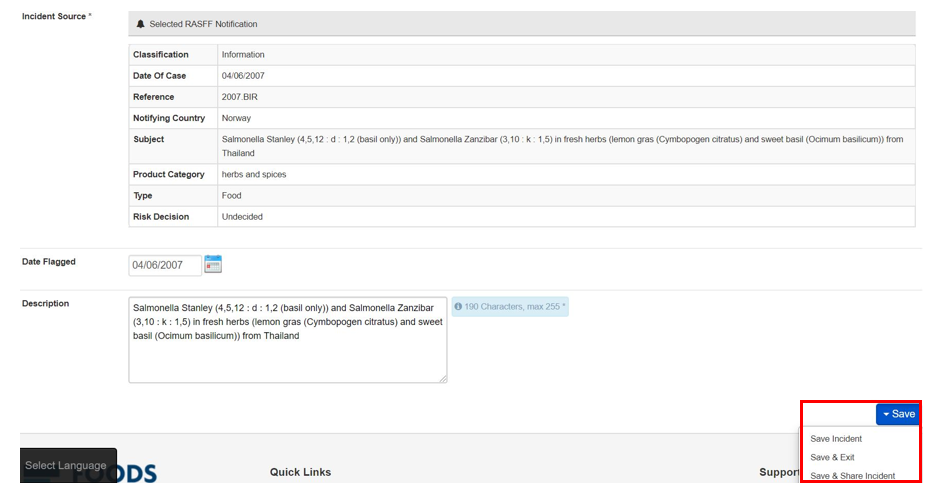
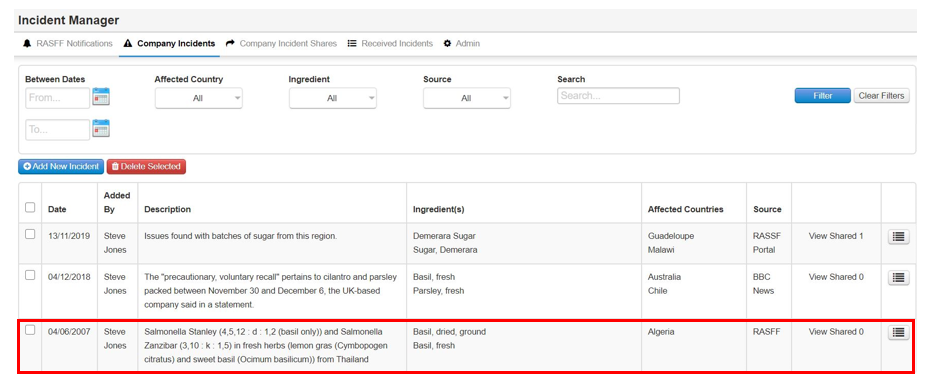
Step 5: Your incident has been created