![fc-logo.svg]](https://knowledgebase.foodsconnected.com/hubfs/fc-logo.svg)
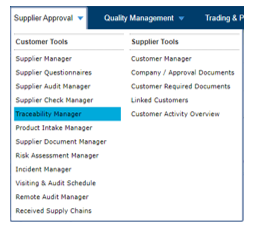
Step 1: Access Traceability manager, navigate to Supplier Approval > Traceability Manager
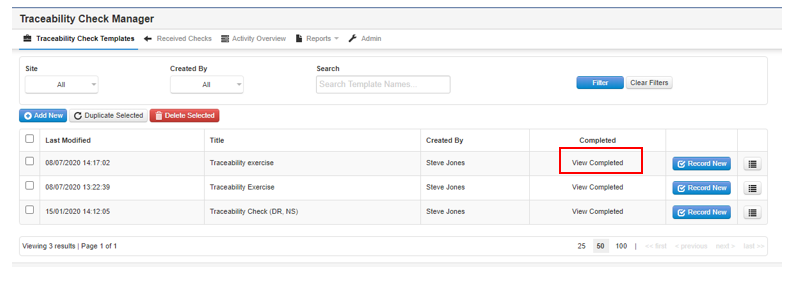
Step 2: Alongside the template which you wish to view, select View Completed
Step 3: Alongside the relevant check, select the menu button on the right-hand side of the check and select view check
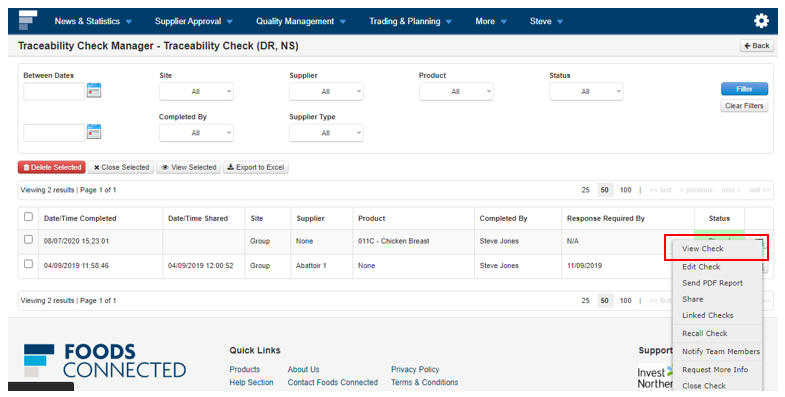
Step 4: If you are satisfied with the response select close check. If you have a confirmation template set up you will be directed to the template (See Section 4- Confirming a Traceability Template)