![fc-logo.svg]](https://knowledgebase.foodsconnected.com/hubfs/fc-logo.svg)
Step 1: Log in to your Foods Connected account
Step 2: Locate the settings tab in the top right-hand corner

Step 3: Navigate to ‘Change Password’ under ‘My Profile’
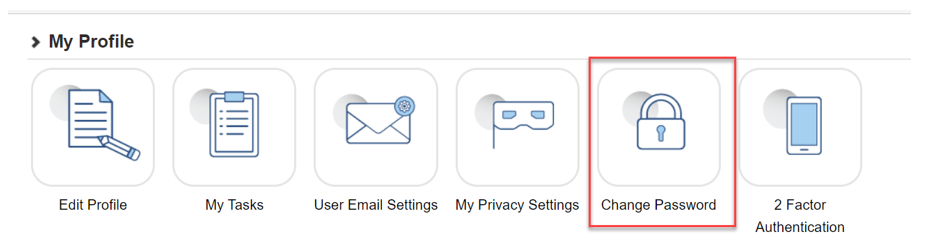
Step 4: The following form will appear with password recommendations
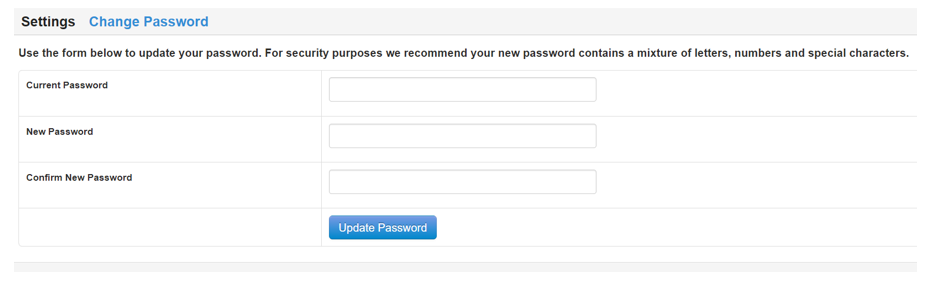
Step 5: Once you type in your old password and your new password twice click the ‘Update Password’ button.