![fc-logo.svg]](https://knowledgebase.foodsconnected.com/hubfs/fc-logo.svg)
When creating questionnaire details for set will highlight if you want to “Enable Bulk Close”. This functionality will allow you to switch this ability on and off, depending on the questionnaire, site or account.
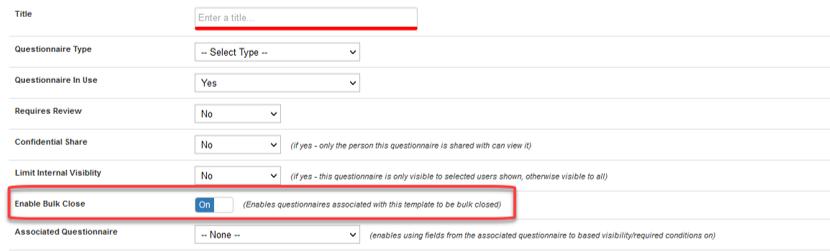
Enabling this functionality, when clicking “Review Reponses” in the context menu the bulk close button (blue) will be visible beside the existing button functionalities.

To Bulk Close questionnaires, click multiple questionnaires on the left-hand side boxes on “View Response” page of Questionnaire Manager. When you have selected the questionnaires, you would like to close/lock, simply just select “Bulk Close Selected”