![fc-logo.svg]](https://knowledgebase.foodsconnected.com/hubfs/fc-logo.svg)
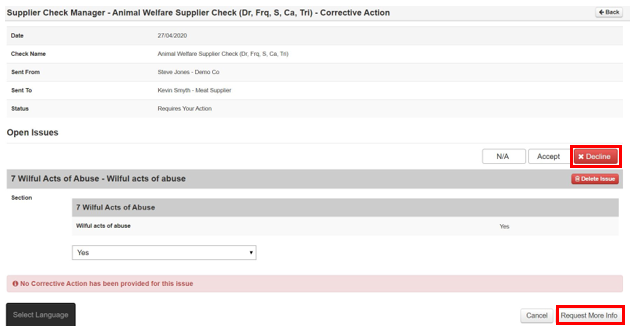
Step 1: To decline your response in 2.4. Select Decline & then Select Request More Info
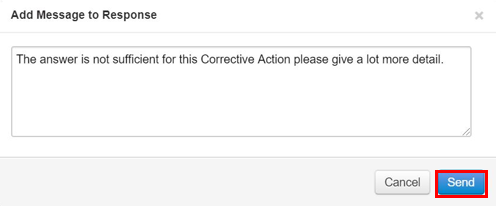
Step 2: Then type in a response or what further info you need in the box and select Send
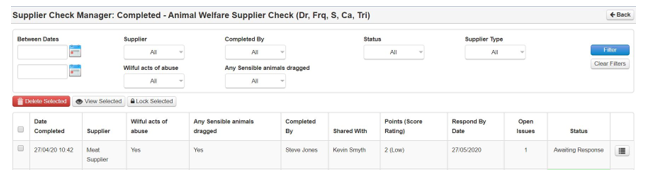
Step 3: The status reverts back to Awaiting Response
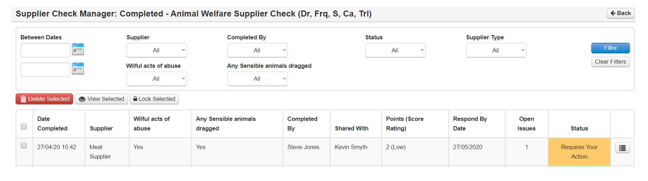
Step 4: The supplier completes and sends back. The status is at Requires Your Review
Step 5: Then refollow steps in 3.4 to confirm when you are happy.