![fc-logo.svg]](https://knowledgebase.foodsconnected.com/hubfs/fc-logo.svg)
Your next steps are to review the responses and confirm or request further information.
Step 1: After the supplier fills in the form and sends back to you. The status changes to Requires Your Action.
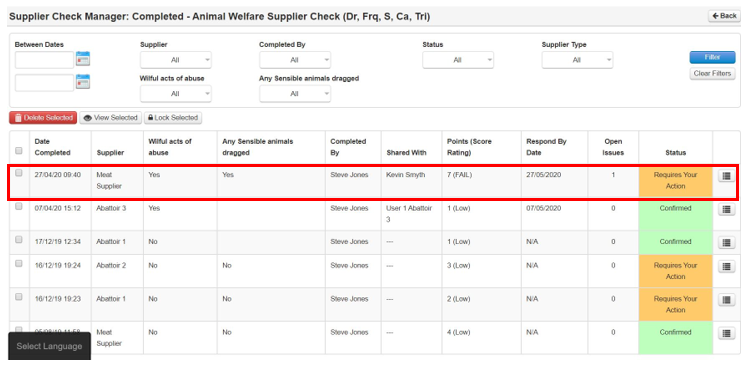
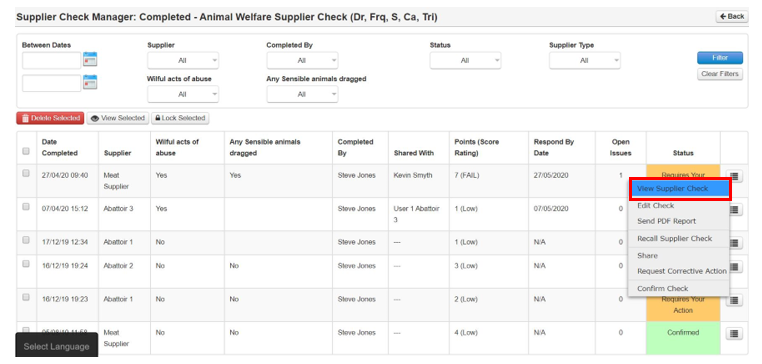
Step 2: To review the check, select the icon and then View Supplier Check
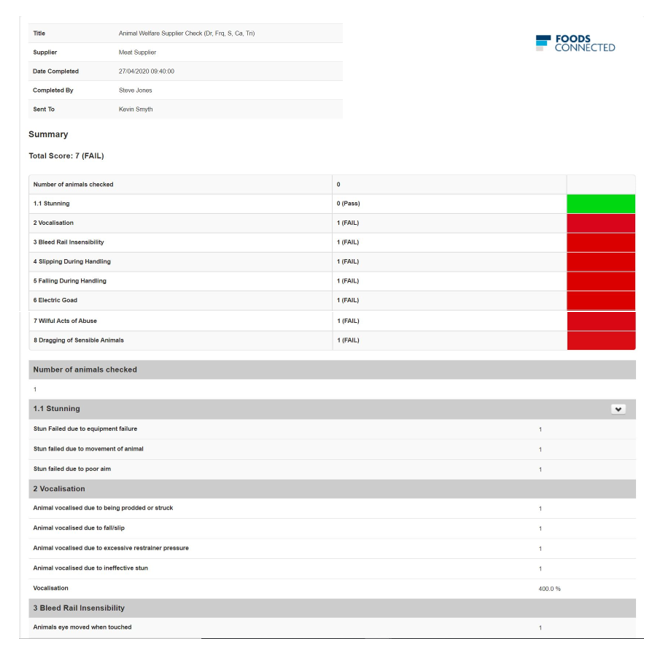
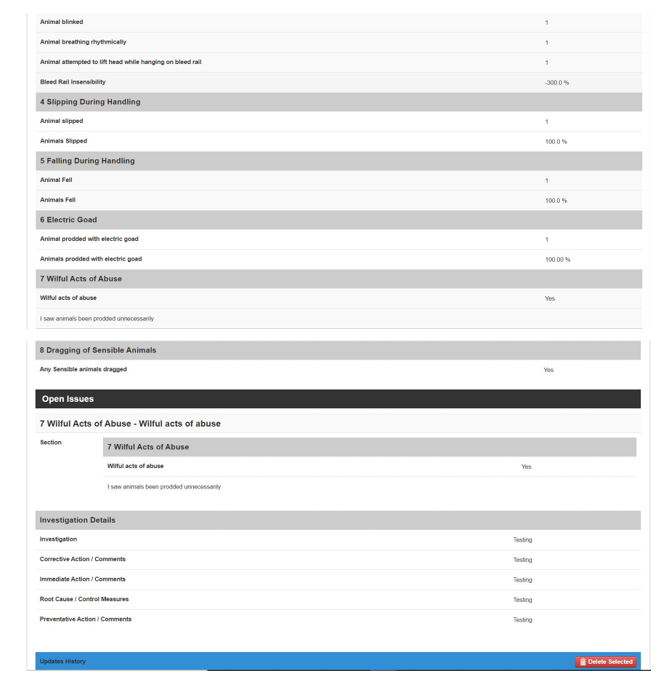
Step 3: This opens the check and the corrective action response. Review it and then when you are happy close it.