![fc-logo.svg]](https://knowledgebase.foodsconnected.com/hubfs/fc-logo.svg)
This allows the user to filter the standard by sections, sub-sections, clause status and evidence status.
Step 1: Select Filter Standard at the top of the page in the selected standard.

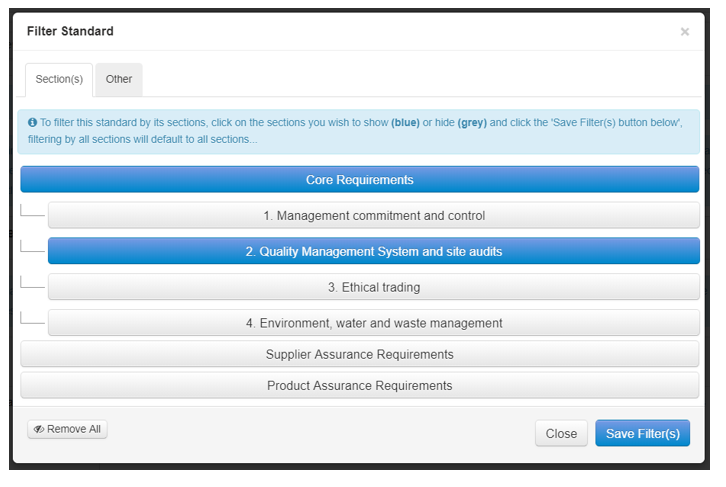
OR
Step 2: To filter by clauses or evidence click the Other tab in the pop-up modal and select the type of status and/or if evidence is attached and press Save Filter(s).
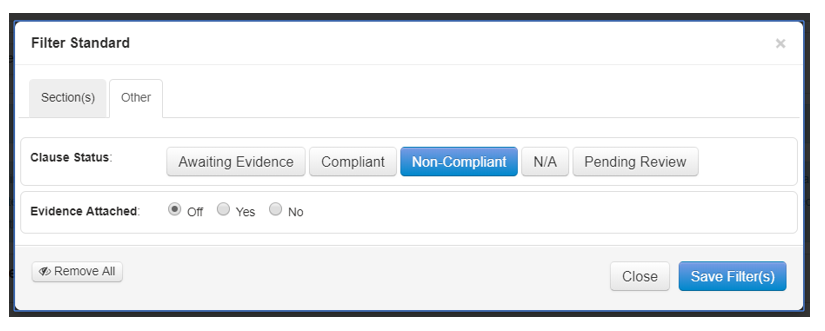
Step 3: To clear the filters click Remove all at the bottom of the pop-up modal.