![fc-logo.svg]](https://knowledgebase.foodsconnected.com/hubfs/fc-logo.svg)
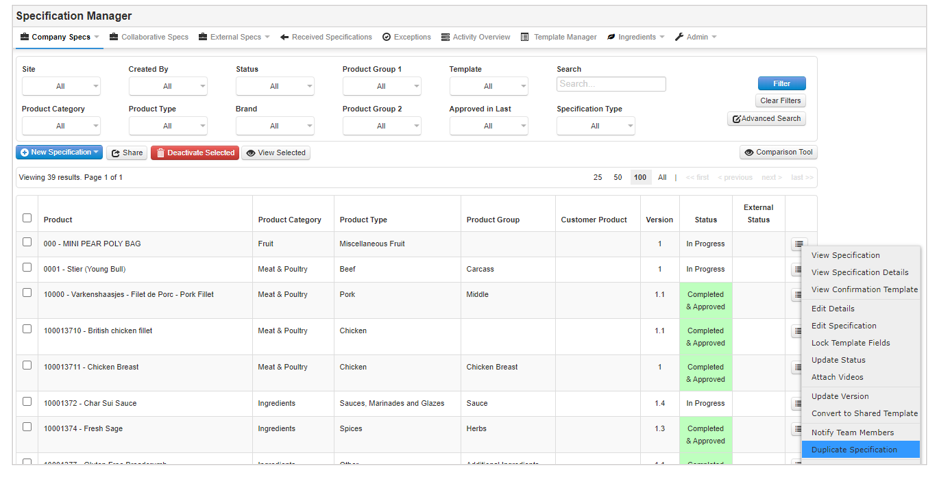
Step 1: From the Company Specs page, click on the menu button to the right of the specification you would like to duplicate and select Duplicate Specification.
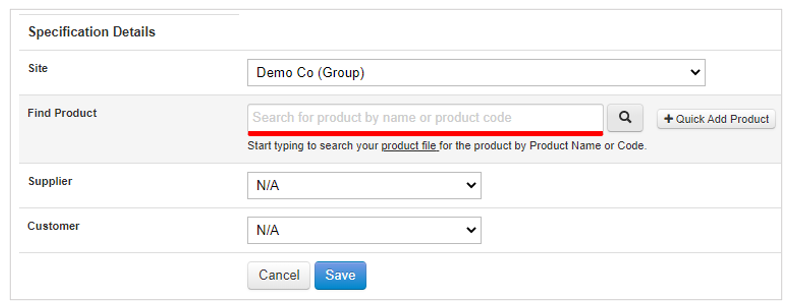
Step 2: Select the Site / Product for the specification and optionally the Supplier / Customer and click on Save.
Step 3: A duplicate specification will be created with the same content as the original with the new site/product.