![fc-logo.svg]](https://knowledgebase.foodsconnected.com/hubfs/fc-logo.svg)
If you have sent your response back and the customer asks you to add further info you will get an email & another task in your task manager.
Step 1: Select the task 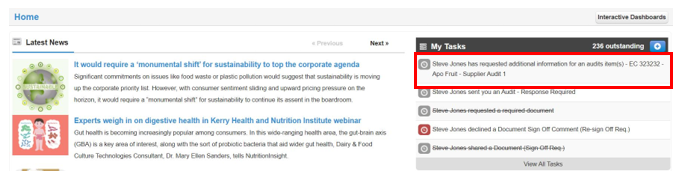
Step 2: See the status below to add a new further detail select Add Response
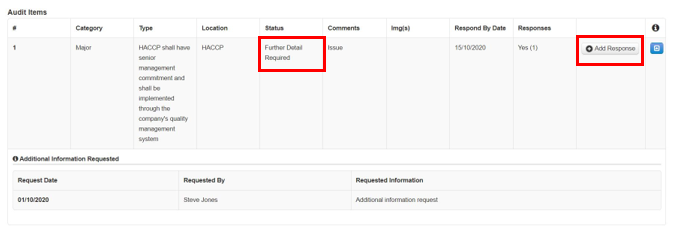
Step 3: Add further detail here select Add Response
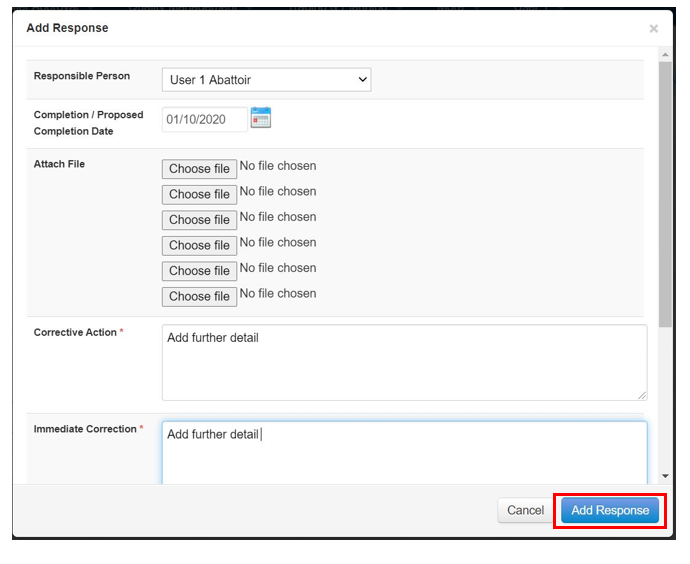
Step 4: The further detail responses looks like this below

Step 5: When done and ready to send back select Send Response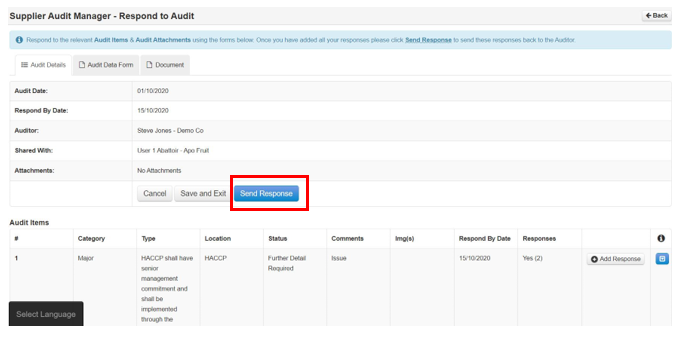
Step 6: Include message
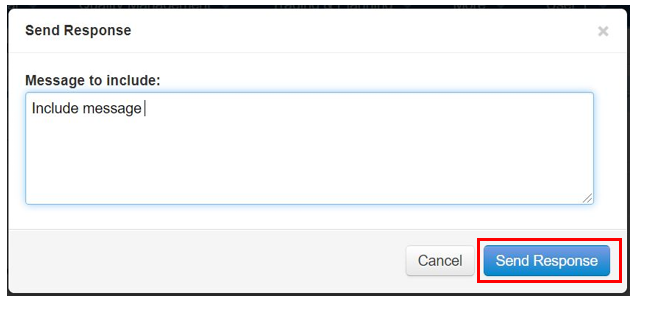
Step 7: Once sent the status reverts to Awaiting Response

Step 8: Once they respond and completes to Status reverts to Completed