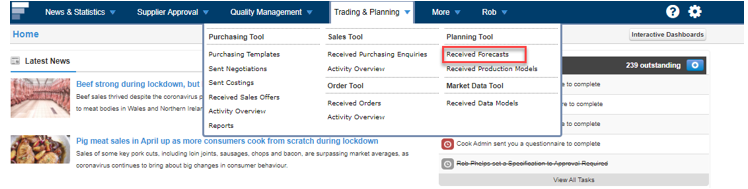
Step 1: Sign into Foods Connected and select Trading & Planning then select Received Forecasts.
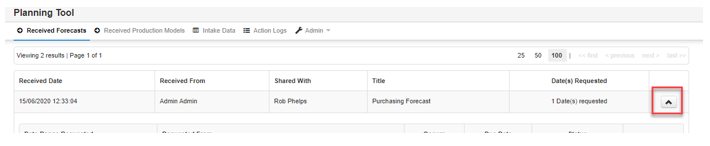
Step 2: Select the Arrow icon beside the forecast and select view forecast.
![fc-logo.svg]](https://knowledgebase.foodsconnected.com/hubfs/fc-logo.svg)
Step 1: Sign into Foods Connected and select Trading & Planning then select Received Forecasts.
Step 2: Select the Arrow icon beside the forecast and select view forecast.