Step 1: Sign into Foods Connected and select the task stating You have been asked to provide data for a forecast
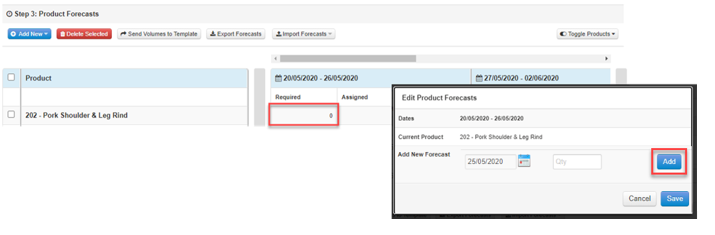
Step 2: To add volume for each product, click on the 0 for each item in the Required column. Enter the required volume and select Add
![fc-logo.svg]](https://knowledgebase.foodsconnected.com/hubfs/fc-logo.svg)
Step 1: Sign into Foods Connected and select the task stating You have been asked to provide data for a forecast
Step 2: To add volume for each product, click on the 0 for each item in the Required column. Enter the required volume and select Add