![fc-logo.svg]](https://knowledgebase.foodsconnected.com/hubfs/fc-logo.svg)
Step 1: The user who has to complete the product check will get an email notification and a notification in their task manager like this. Select this task
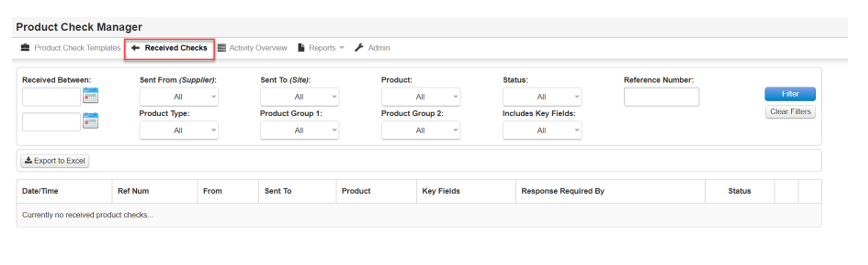
Or they can go to Received Product Checks in the Product Check Manager Tool and see that a CHECK requires their action
Step 2: Select View to review & close when done
Step 3: The product check details will now show. Close when done.