![fc-logo.svg]](https://knowledgebase.foodsconnected.com/hubfs/fc-logo.svg)
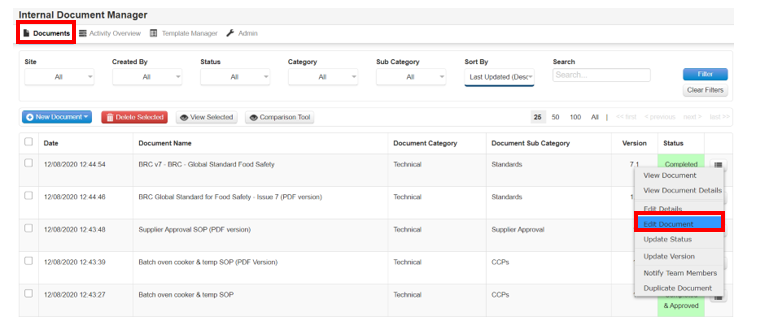
Step 1: Click on the menu button against the Internal Document you want to update, then select Edit Document.
Step 2: Make any amendments to the document and then click either Save or Save & Exit. If you have set up Internal Approvers (see Sections 1.4 & 1.5), then approval will be needed for the changes you have made.