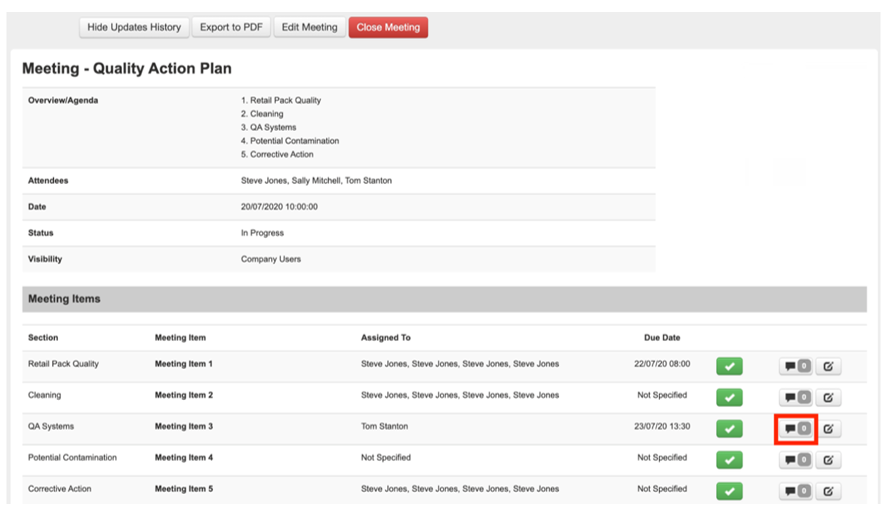
Step 1: You can comment or add an attachment to the meeting item by clicking on the comment box icon
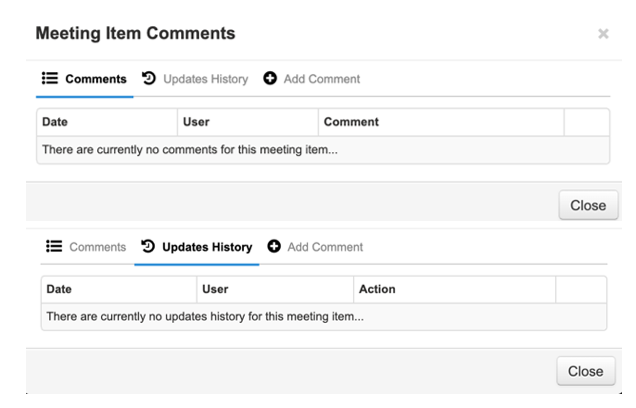
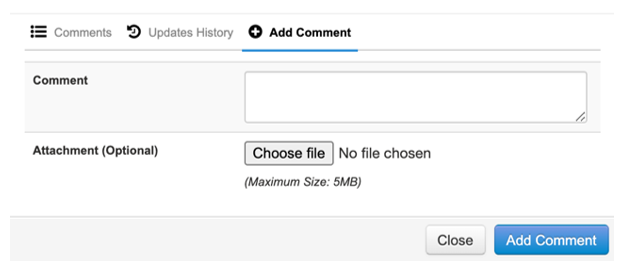
Step 3: To add a comment select the “Add Comment” tab, insert comment, and any relevant attachments.
![fc-logo.svg]](https://knowledgebase.foodsconnected.com/hubfs/fc-logo.svg)
Step 1: You can comment or add an attachment to the meeting item by clicking on the comment box icon
Step 3: To add a comment select the “Add Comment” tab, insert comment, and any relevant attachments.