![fc-logo.svg]](https://knowledgebase.foodsconnected.com/hubfs/fc-logo.svg)
Step 1: Sign into Foods Connected and select the task stating A forecast confirmation has been sent for completion
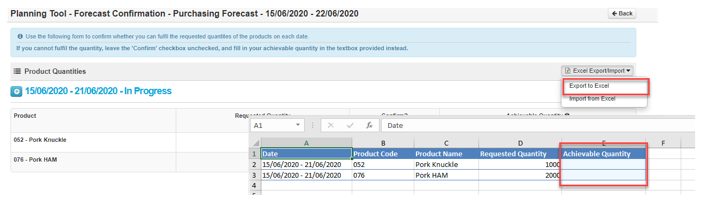
Step 2: Select Excel Export/Import then select Export to Excel. Enter Achievable quantities for each date range in the exported excel file.
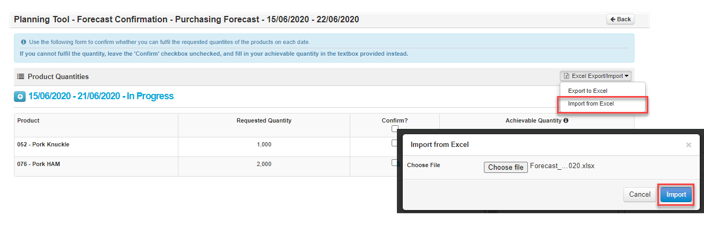
Step 3: Select Excel Export/Import then select Import from Excel. Select Choose File to select forecast and select Import.