![fc-logo.svg]](https://knowledgebase.foodsconnected.com/hubfs/fc-logo.svg)
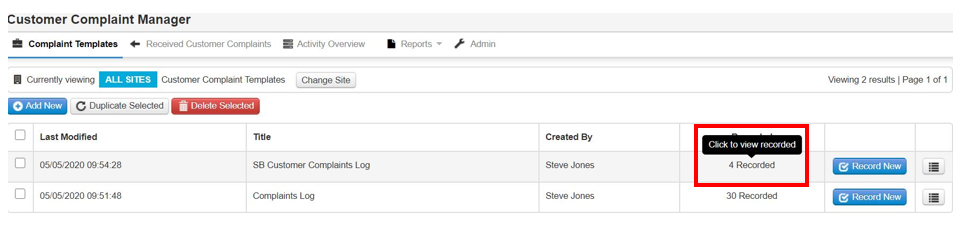
Step 1: Select View Recorded on the template of the check you want to recall.
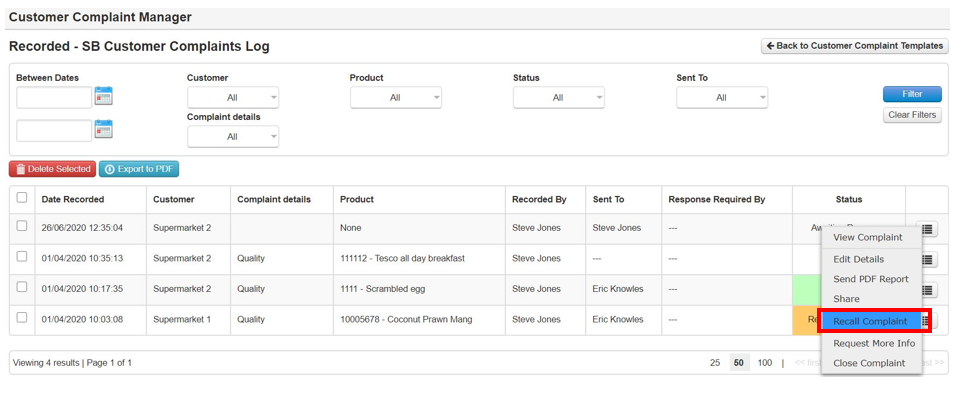
Step 2: Select the check you want to recall on the right, then select Recall Complaint
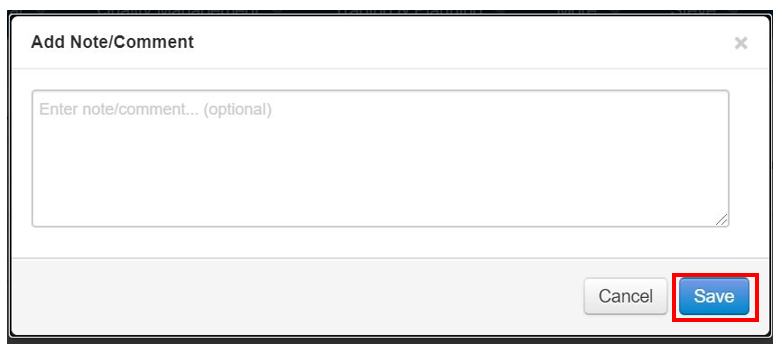
Step 3: Add a recall comment to notify the user, then select Save
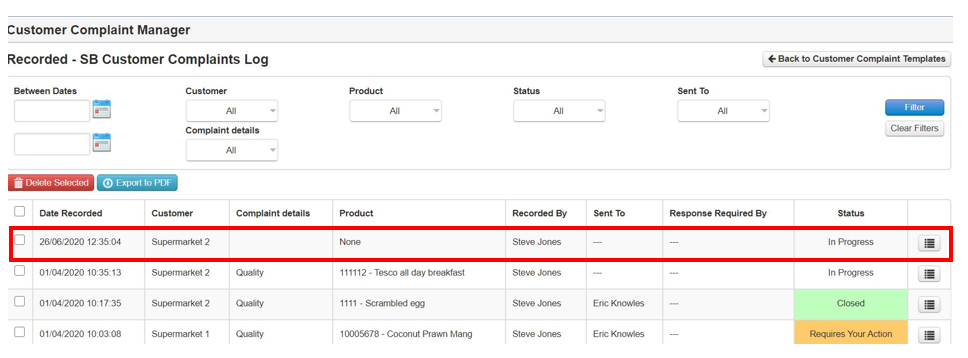
Step 4: The check is now recalled, and the status reverts to In Progress