![fc-logo.svg]](https://knowledgebase.foodsconnected.com/hubfs/fc-logo.svg)
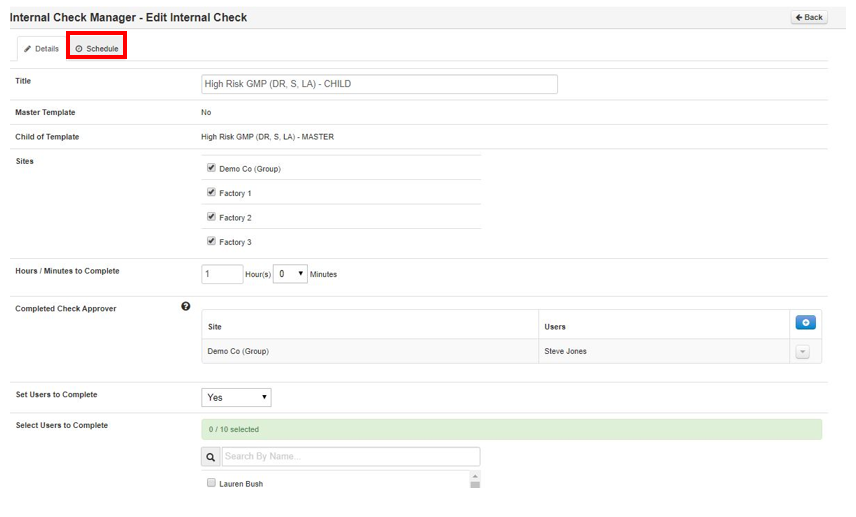
When setting up the details of the Internal Check, if you set a user to complete a check and select a person(s), you will be able to create a schedule. A schedule window will appear here.
Step 1: Select Schedule
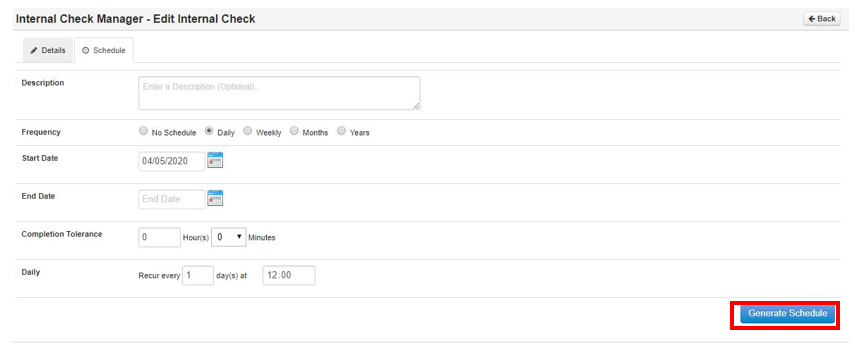
Step 2: Select which Frequency Set the required settings for your schedule then select Generate Schedule
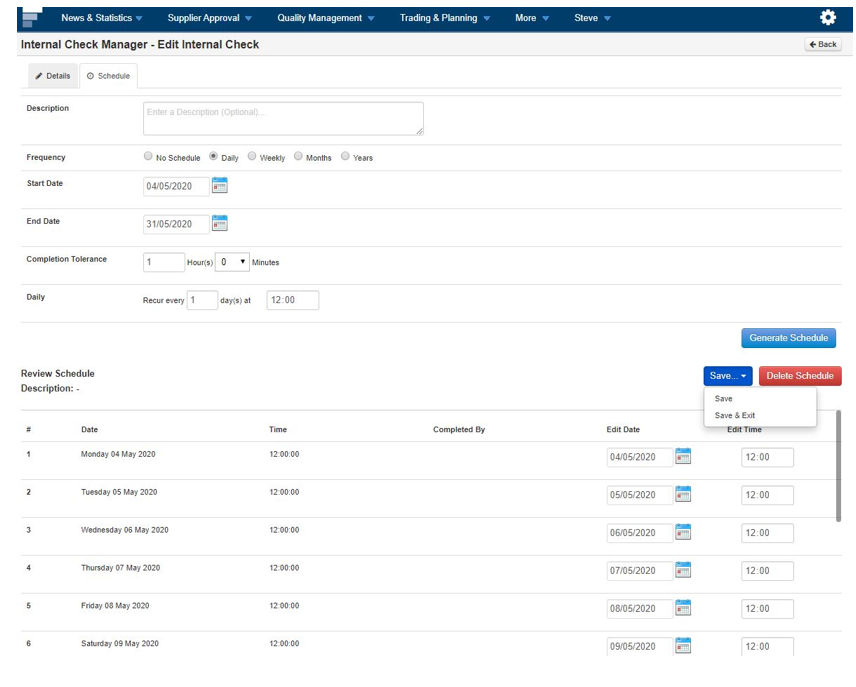
Step 3: The schedule will look like this below from here you can edit and Save
Step 4: At any stage if you need to re-edit go back to check, select Edit Details
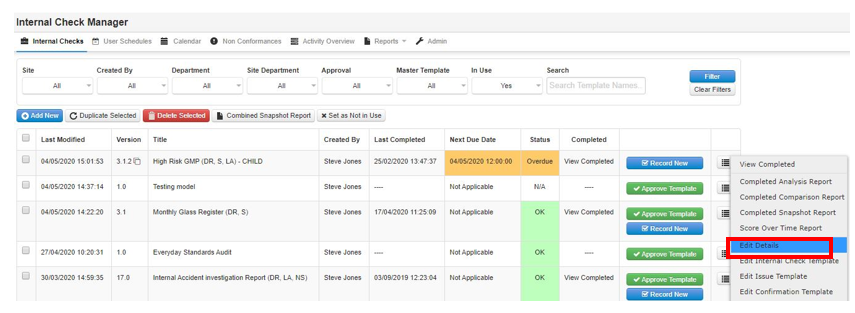
Step 5: Then select Schedule
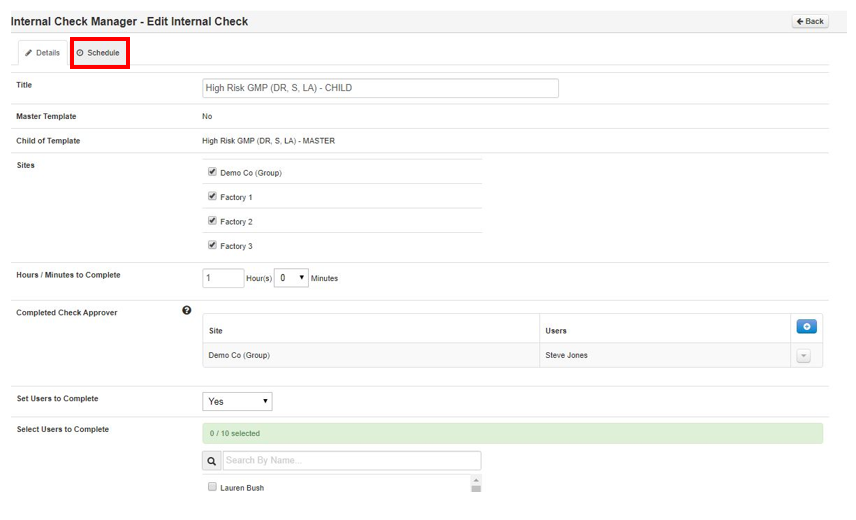
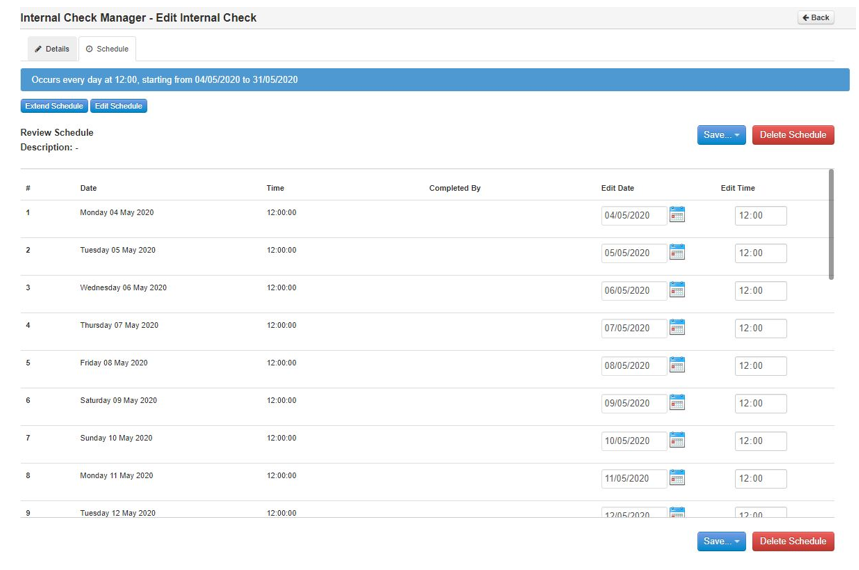
Step 6: This page will open where you can Edit, Extend or Delete