![fc-logo.svg]](https://knowledgebase.foodsconnected.com/hubfs/fc-logo.svg)
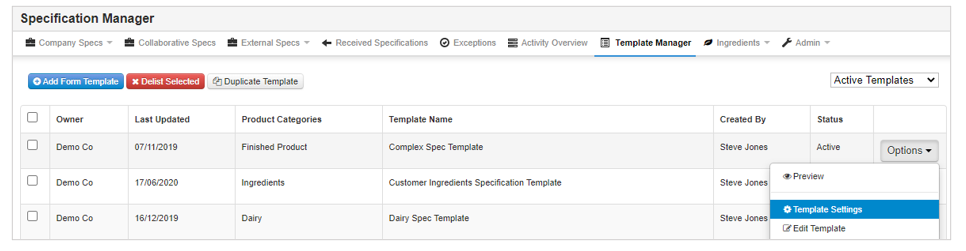
Step 1: Select Quality Management tab and select Specification Manager. Select Template Manager tab, click on the Options button beside the template you want to edit the settings of and select Template Settings.
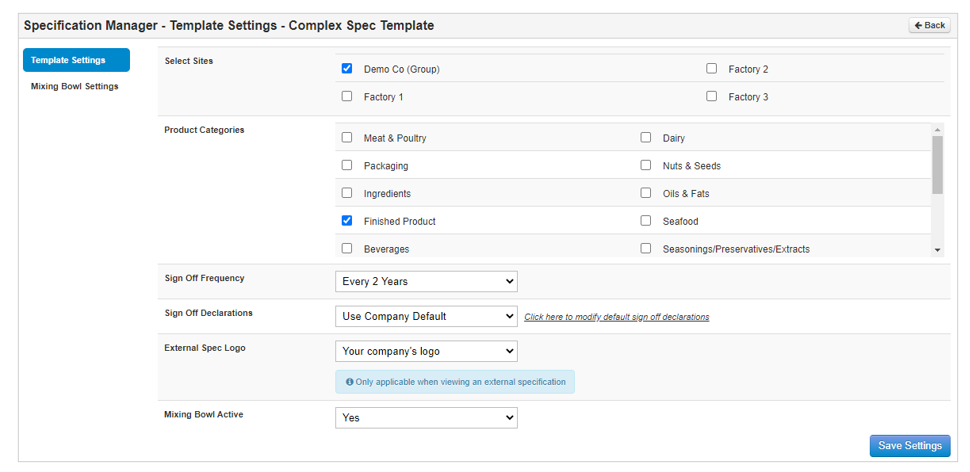
Step 2: The sites, product categories, frequency and sign off/logo settings that are relevant for this template can be updated within the settings. Select Save Settings to save your changes.