![fc-logo.svg]](https://knowledgebase.foodsconnected.com/hubfs/fc-logo.svg)
The audit manager has an option for users to audit by checklist if they so choose. You setup the checklist here.
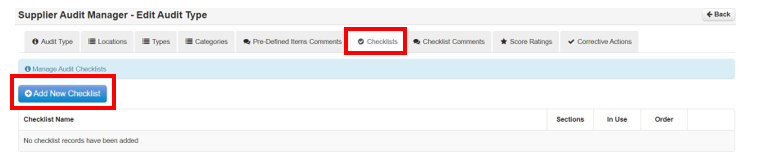
Step 1: Select Checklists then Add New Checklist
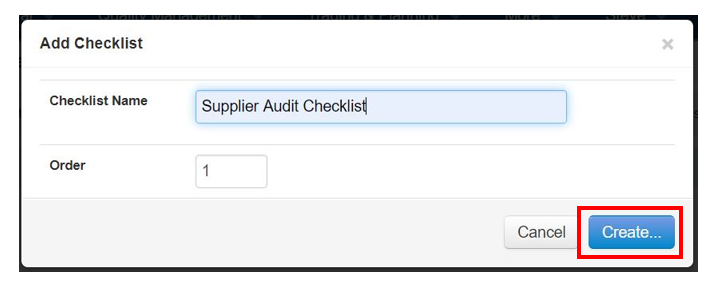
Step 2: Give the checklist a name so that it relates to an actual audit. Select Create when done
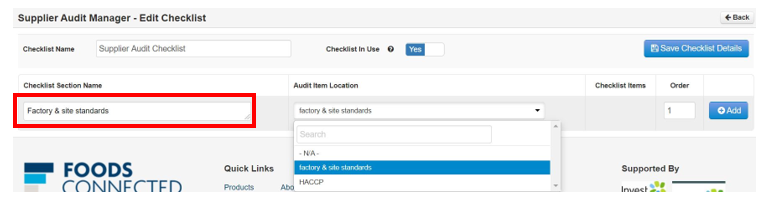
Step 3: Now add the name of the checklist that relates to the actual audit location. Then choose that location in the audit from the dropdown.
Step 4: Select Add when done.

Step 5: This is how your added sections will look.
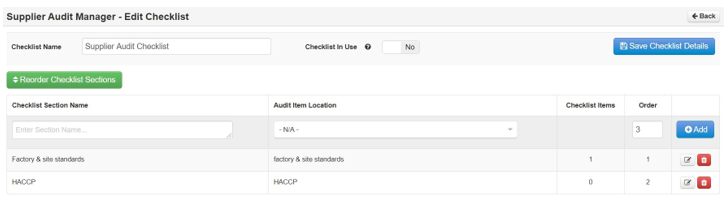
Step 6: When you have added all the sections names select the Checklist In Use. And then Select Save Checklist Details
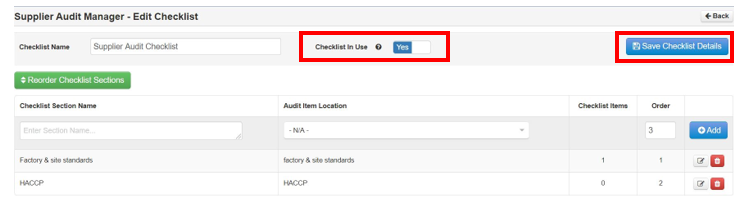
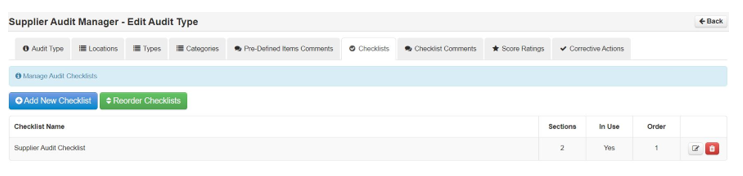
Step 7: Your fully completed saved checklist will look like this below in the checklist table