![fc-logo.svg]](https://knowledgebase.foodsconnected.com/hubfs/fc-logo.svg)
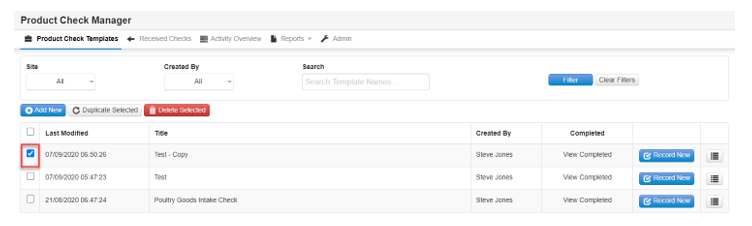
Step 1: Select the template you want to delete by selecting the check box on the left side
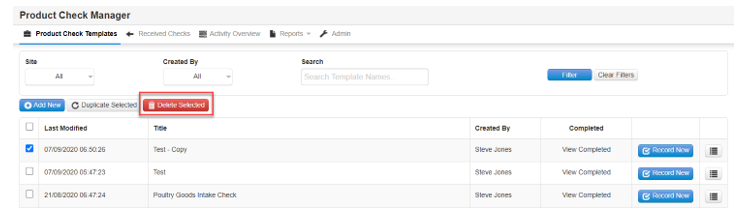
Step 2: Choose Delete Selected
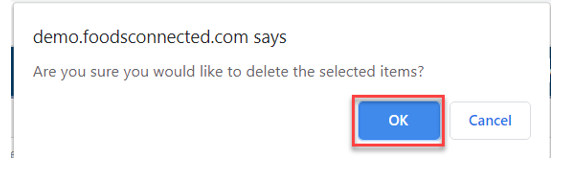
Step 3: A confirmation window will come up, if this is the correct item to be deleted click the OK button
Step 4: The template will now be deleted & its history