![fc-logo.svg]](https://knowledgebase.foodsconnected.com/hubfs/fc-logo.svg)
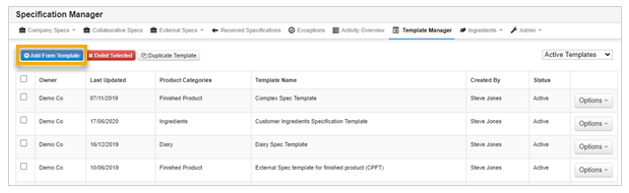
Step 1: Select Quality Management tab and select Specification Manager. Select the Template Manager tab, selecting Add Form Template to create a new template.
Step 2: Fill in the template name, clicking on Save Title to save it. Build the specification template using the form builder functionality.
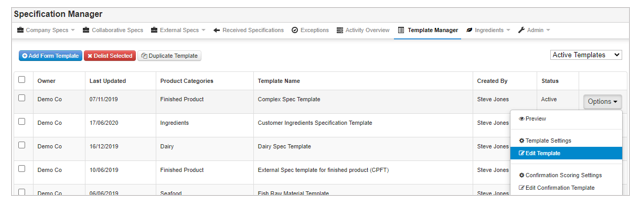
Step 3: Once the template is complete it can updated by selecting Template Manager page by clicking on the Options button beside the template and selecting Edit Template.
*You can search for specific templates using the search bar on the right-hand side of the page.
