![fc-logo.svg]](https://knowledgebase.foodsconnected.com/hubfs/fc-logo.svg)
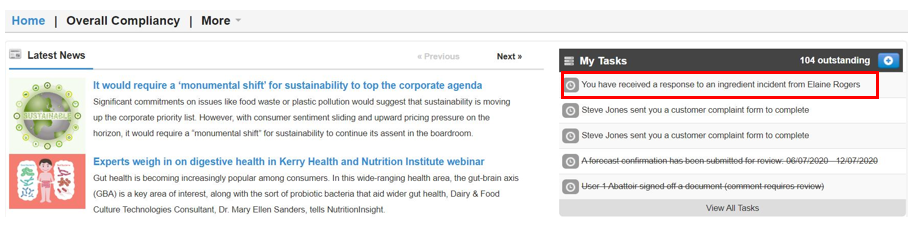
Step 1: Sign in and go to My Tasks, you will see a task You have received a response to an ingredient incident shared. Or you can go to the Incident Manager under Supplier Approval then select Company Incident Shares
Or
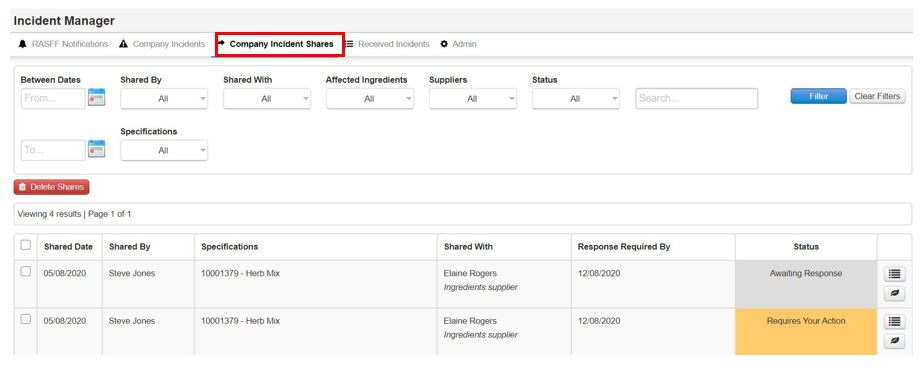
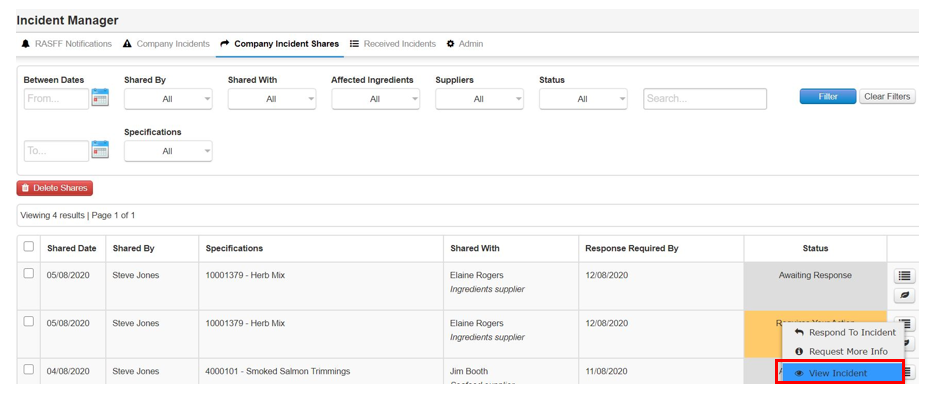
Step 2: The status is Requires Your Action & if you select the feather icon it will tell you what status the incident is at, as in Affected, Not Affected or Pending Investigation. Select View Incident

Not Affected

Pending Investigation

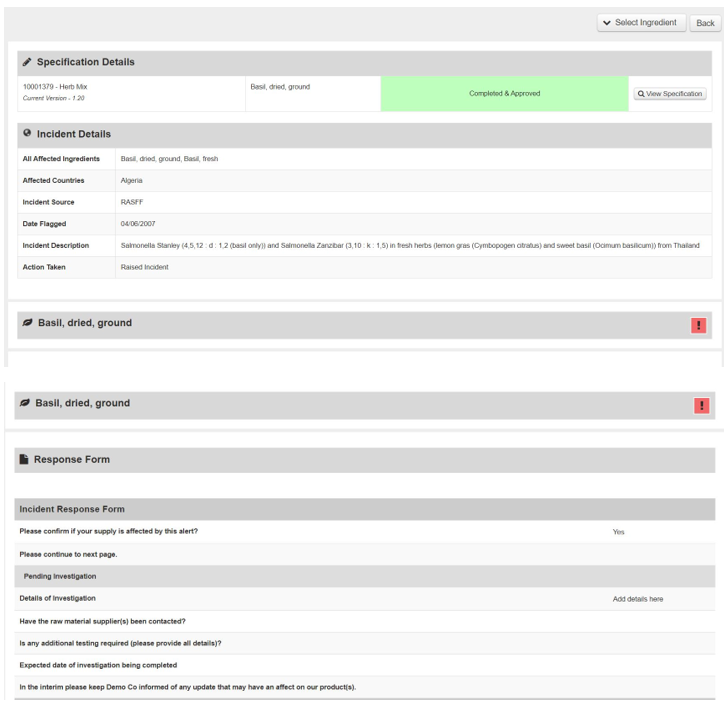
Step 3: View incident form and response from the supplier here. Once done select Back