![fc-logo.svg]](https://knowledgebase.foodsconnected.com/hubfs/fc-logo.svg)
Step 1: Log in to your Foods Connected account
Step 2: Locate the settings tab in the top right-hand corner

Step 3: Navigate to ‘User History’ under ‘Company Users’
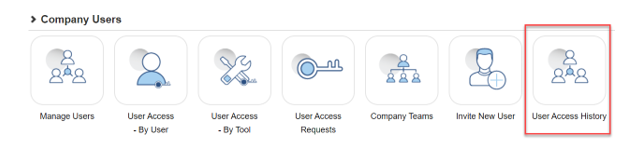
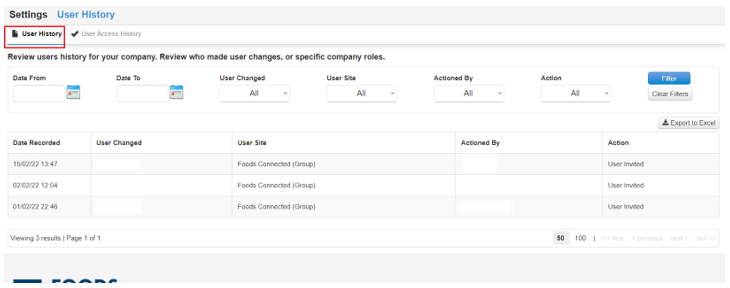
Step 4: The following page will load with two tabs ‘User History’ and ‘User Access History’.
‘User History’ shows ‘User Changed’, ‘User Site’, ‘Actioned By’ and ‘Action’.
Whilst ‘User Access History’ shows ‘Tool’, ‘User Changed’, ‘User Site’, ‘Actioned By’ and ‘Action’.
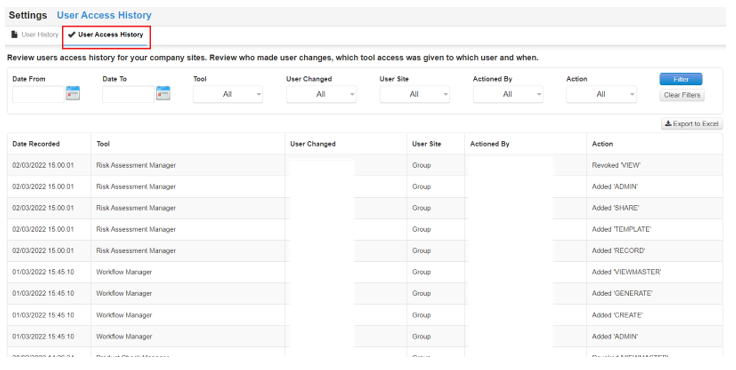
NOTE: Displaying who created/granted each user with access to Foods Connected (alongside the date/time/actioned details) will show regardless of whether the user has been granted access to the Foods Connected tools or not.