![fc-logo.svg]](https://knowledgebase.foodsconnected.com/hubfs/fc-logo.svg)
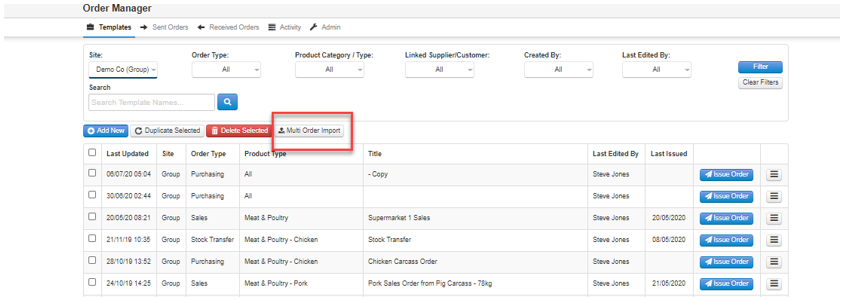
Step 1: Under templates select Multi Order Import as per the below screenshot.
Step 2: Once you select the multi order import the below screen will pop up.
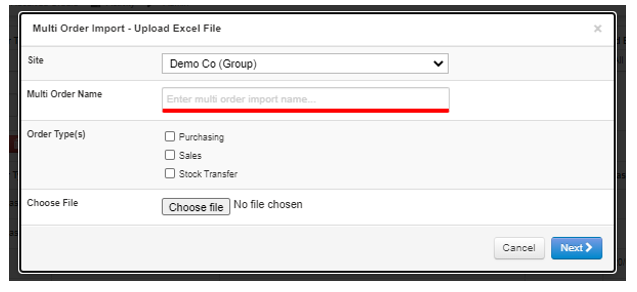
Site: Select the site the import file will relate to
Multi Order Name: Input the name of the file
Order type(s): Select the type of order eg: purchasing, sales, stock transfer
Choose File: select the file that you would like to upload
Step 3: Press save on the bottom right of the pop-up box. The imported file will then display along with the other templates.