![fc-logo.svg]](https://knowledgebase.foodsconnected.com/hubfs/fc-logo.svg)
When a business has a third party carrying out audits on their behalf they may want to share a template that they have created through the Foods Connected system, this allows audits to be completed by the third party and them to be visible in Foods Connected.
Note - The business carrying out the audits has to be on the supplier list within Supplier Manager
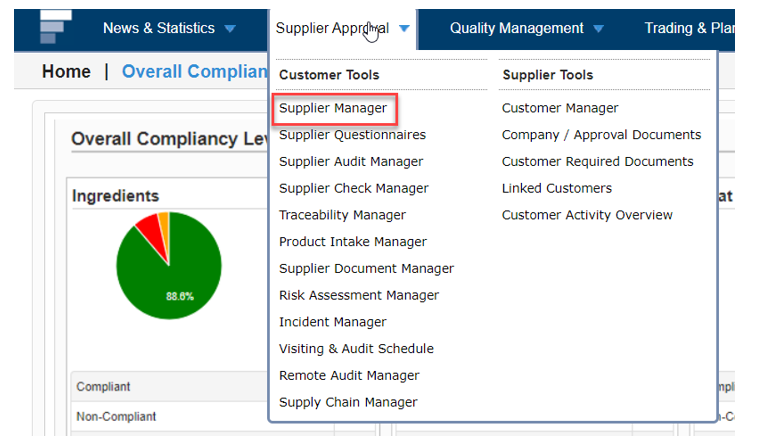
Step 1: Select Supplier Manager from the Supplier Approval menu
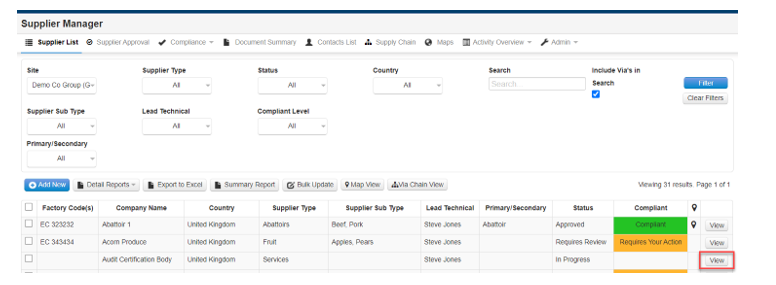
Step 2: Select View button beside the supplier record that needs to have templates shared
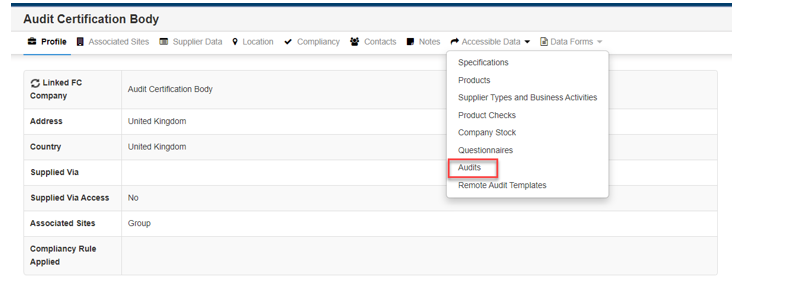
 Step 3: Select Audits from the Accessible Data dropdown
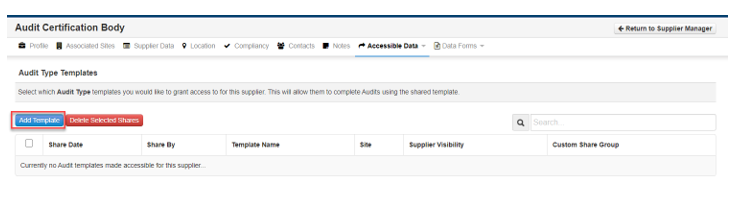
Step 4: Select Add Template button
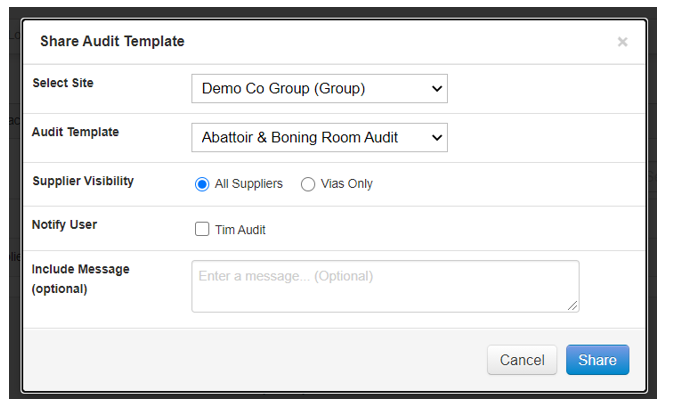
Step 5: Complete the fields below to select the template required and then select Share button
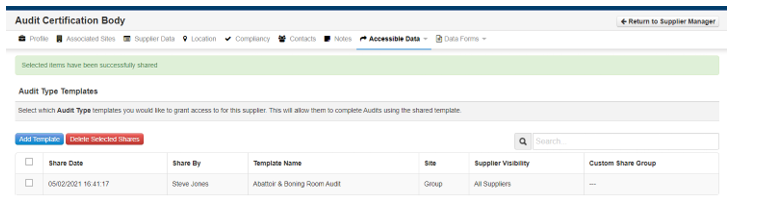
Step 6: Repeat these steps for any additional templates to be shared, the view of the templates shared will look as below
The audits carried out by the third party will be visible on the new ‘Supplier Provided Audits’ tab shown below
