![fc-logo.svg]](https://knowledgebase.foodsconnected.com/hubfs/fc-logo.svg)
Step 1: Log in to your Foods Connected account
Step 2: Locate the settings tab in the top right-hand corner

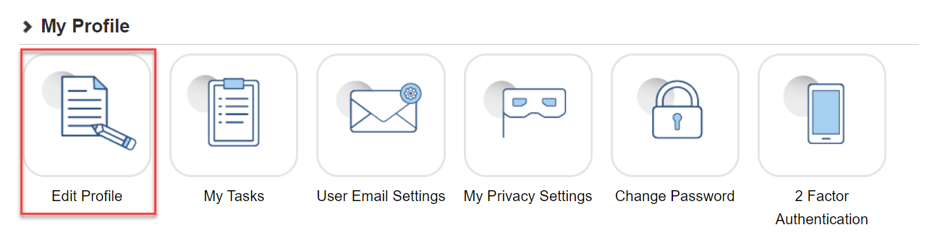
Step 4: Update details where necessary; options include: forename, surname, job title, mobile telephone, direct line, time zone and locale. NB: Forename and Surname contain an asterisk (*) and are underlined in red as noted below- this means these fields are mandatory.
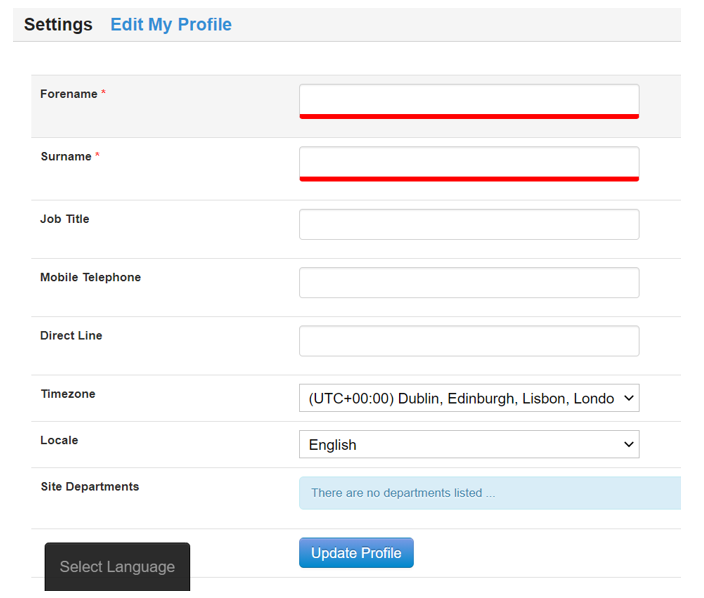 Step 5: Click the ‘Update Profile’ button when done.